www.ti.com
Register Map Configuration Tab
47
SLOU489–August 2017
Submit Documentation Feedback
Copyright © 2017, Texas Instruments Incorporated
Overview of the AFE5832 EVM GUI Features
B.4.4 Manipulating Register Values
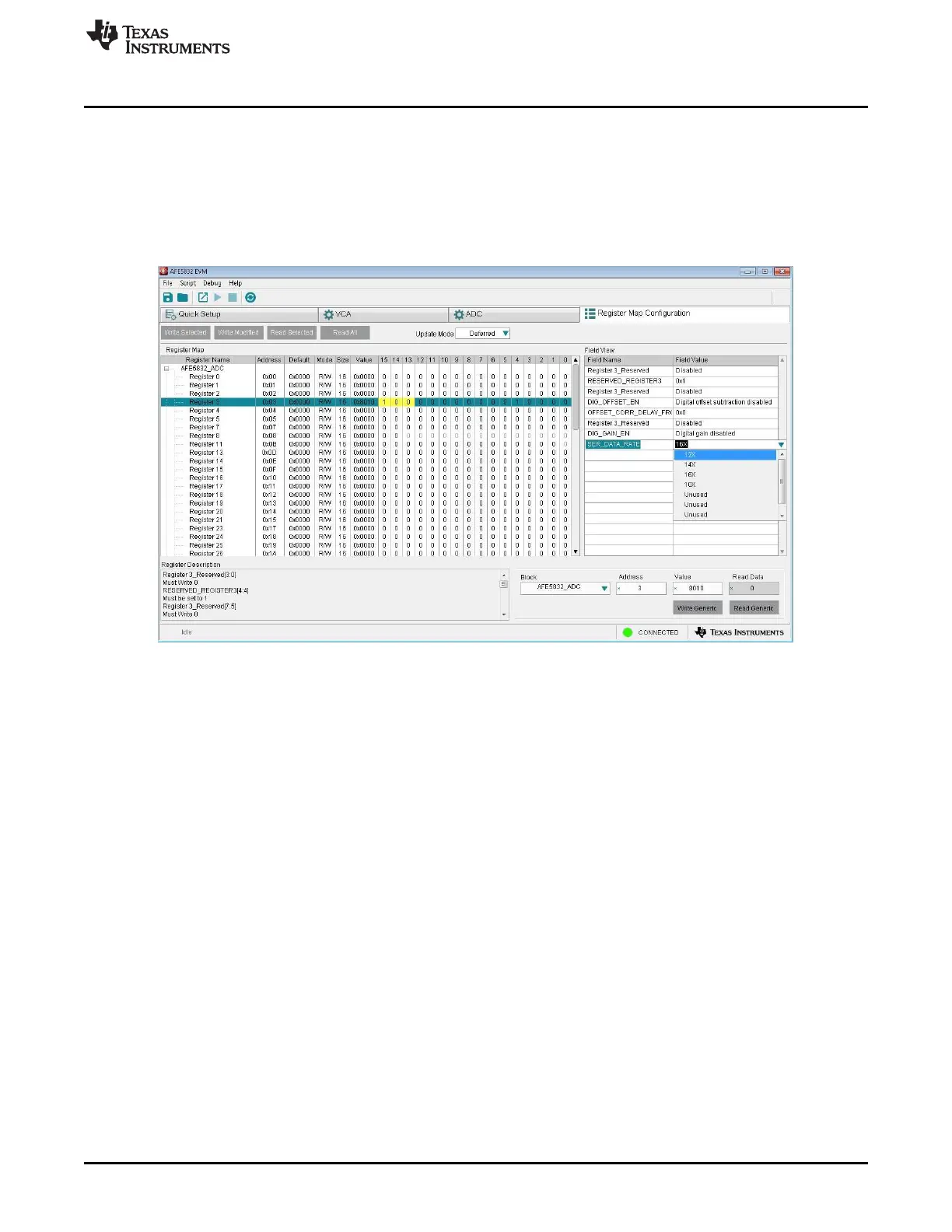
Writing to a register or changing the existing value in a register can be accomplished via (1) GUI controls,
or (2) manual data entry:
1. GUI Controls: Hovering over the corresponding Field Value to a Field Name generates a drop-down
menu from which a series of options can be picked to populate that field as Figure 58 shows. The
change shows up in the register map. The value for a specific bit can also be changed by clicking on
the bit in the register map.
Figure 58. AFE5832: Register Map Configuration: Changing Register Value












 To Next Page