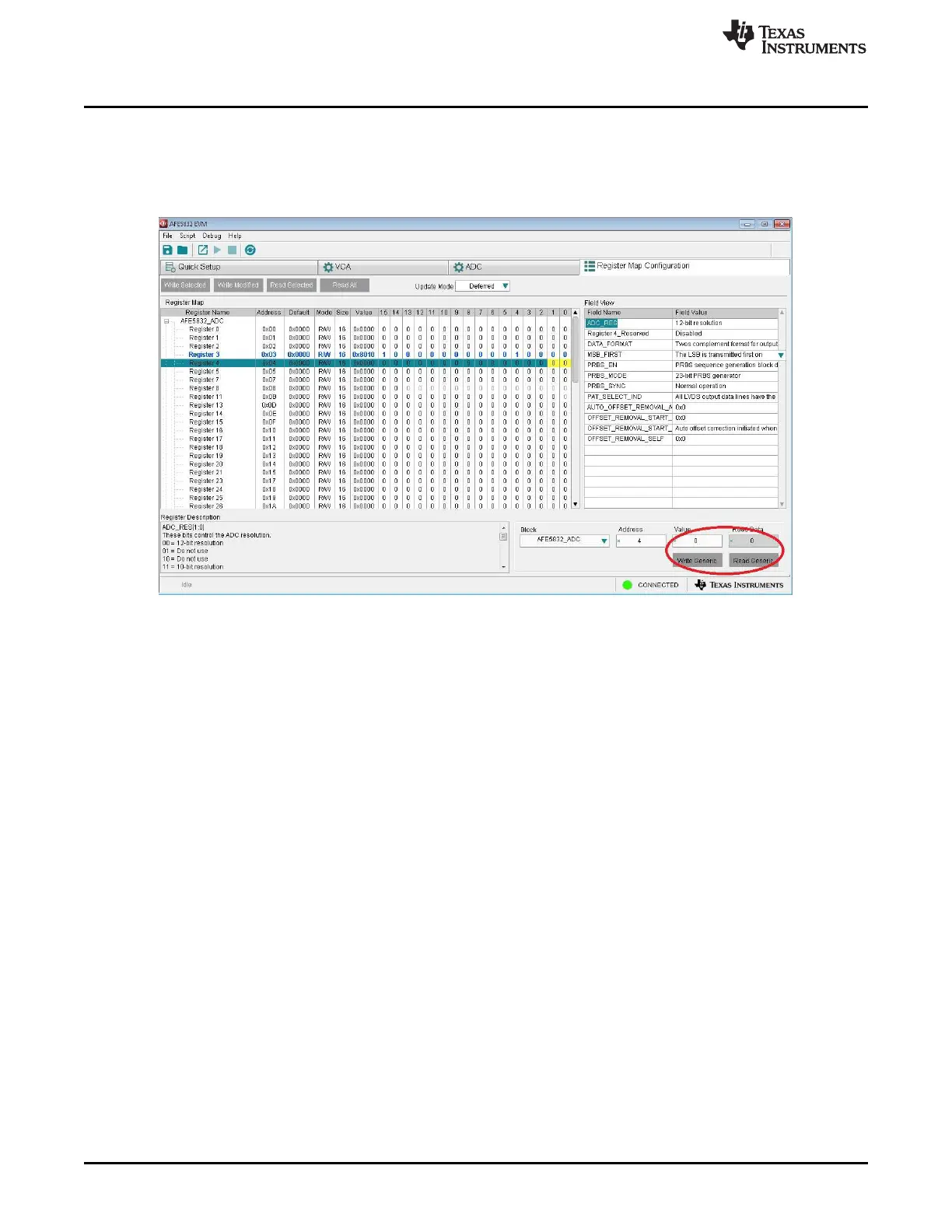
Register Map Configuration Tab
www.ti.com
48
SLOU489–August 2017
Submit Documentation Feedback
Copyright © 2017, Texas Instruments Incorporated
Overview of the AFE5832 EVM GUI Features
2. Manual Data Entry: The value for a register can also be changed by manually typing in a hexadecimal
value under the Value field in the bottom right-hand corner of the GUI. After typing in a value, clicking
Write Generic will write this change to the device. The change will show up in the register map.
Clicking Read Generic will read the data from that register and the hexadecimal value will show up in
the Read Data field.
Figure 59. AFE5832: Register Map Configuration: Manual Data Entry











 To Next Page