Firmware Update
www.ti.com
24
SNAU217A–August 2017–Revised November 2017
Submit Documentation Feedback
Copyright © 2017, Texas Instruments Incorporated
Reference PRO
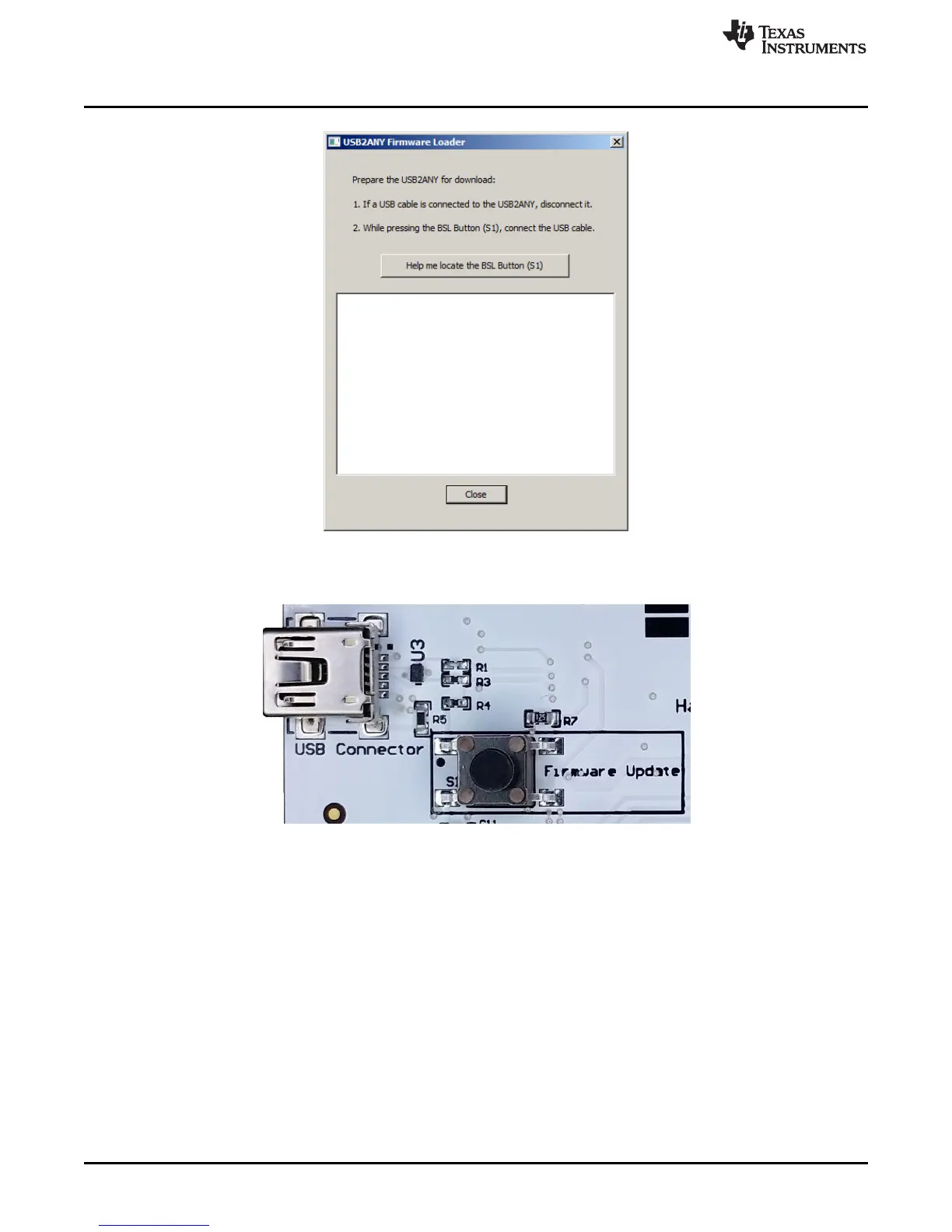
Figure 31. Firmware Loader
3. The BSL button is located next to the USB connector.
Figure 32. BSL Button
4. Follow the on-screen procedure until the below screen is pop-up.











 To Next Page