www.ti.com
Firmware Update
25
SNAU217A–August 2017–Revised November 2017
Submit Documentation Feedback
Copyright © 2017, Texas Instruments Incorporated
Reference PRO
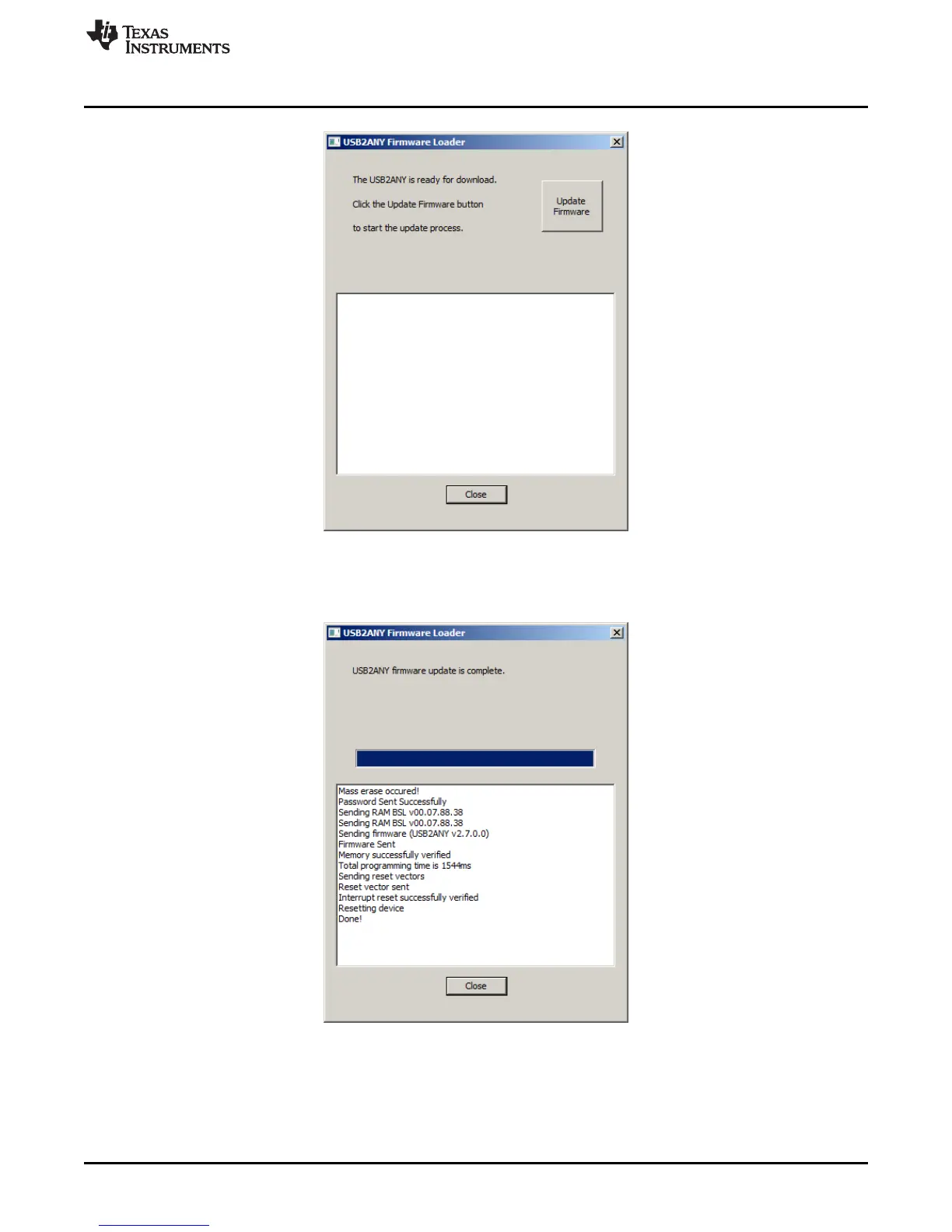
Figure 33. Update Firmware
5. Click the "Upgrade Firmware" button, the firmware will be upgrading. Click the "Close" button after it is
done.
Figure 34. Firmware Update Completed
6. Check the USB connection in TICS Pro by clicking USB communications → Interface. Make sure the
USB Connected button is turned green.











 To Next Page