en-28
5 CONTROLS
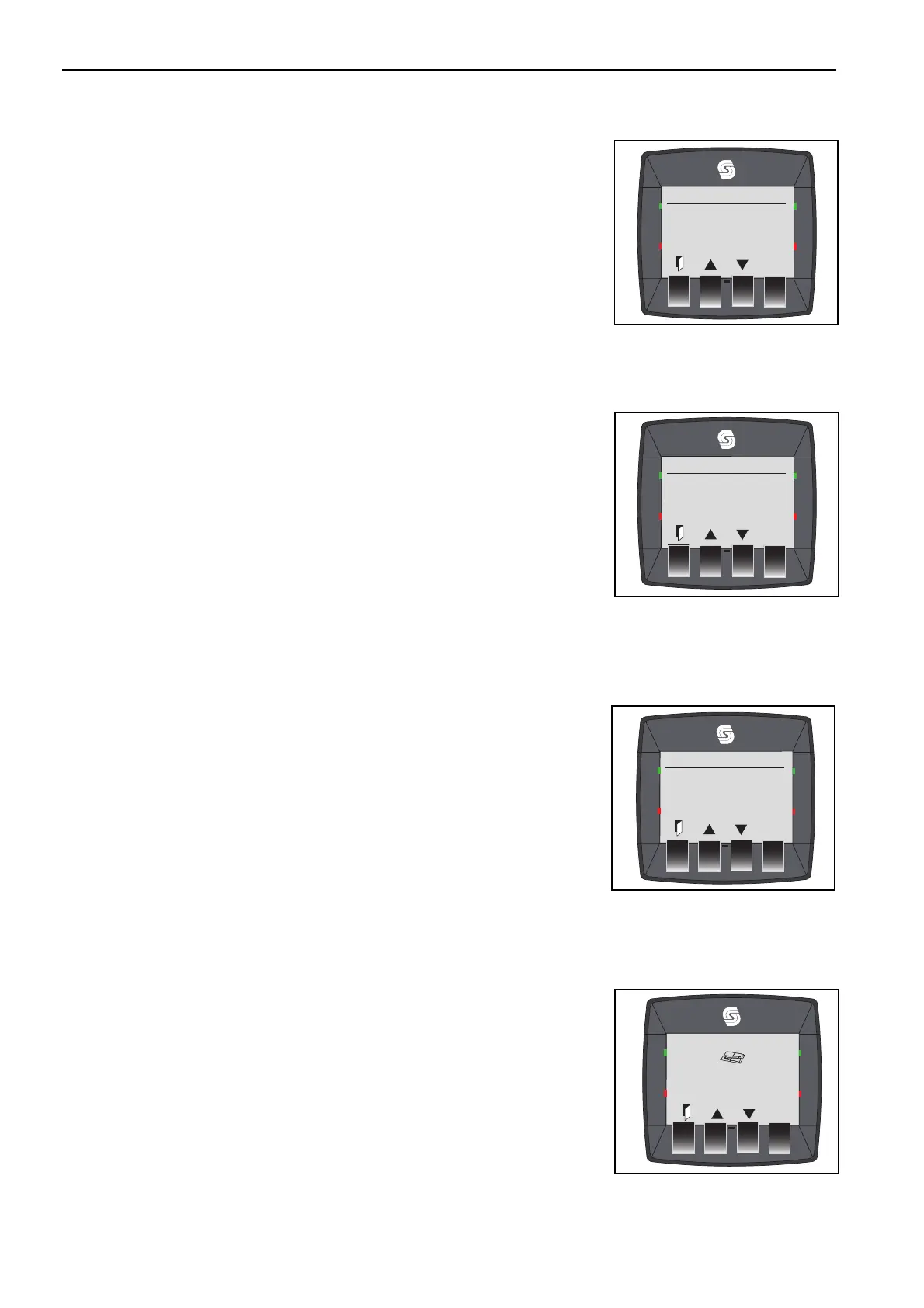
Main Menu
CLOCK
SERVICE
LANGUAGE
Clock Settings
DATE - 21/06/2008
TIME - 16:08
Service Menu
FAULT LOG
TIME TO SERVICE
Diagnostics
Service required in 10 Hours
Parts required for routine service
1234 Fuel Filter
1235 Air Filter
1236 Engine Oil Filter
1237 Hydraulic Filter
5.2.H.9 MAIN MENU ______________________________________________________
The check mark () indicates the function selected for adjustment. The buttons
two and three select, button four then enters the selected page. Press the
button one to return to the main menu. There are three options within this
menu:
1. Clock
2. Service
3. Language.
5.2.H.10 CLOCK AND DATE ADJUST
The check mark () indicates the function selected for adjustment. Press the
button () and a line will become visible below the unit selected. The arrows
adjust that unit, by one unit for each press. Hold the button for one-second and
the unit will increase at a rate of three units every second. Press () to move
the line to the next unit to adjust. Button one (exit) will return to the previous
menu. If no unit is selected, the screen will return to the start.
5.2.H.11 SERVICE MENU
The check mark () indicates the function selected for adjustment. The
buttons two and three select, button four then enters the selected page. Button
one (exit) will return to the previous menu. There are three options within this
menu:
1. Fault Log
2. Time to Service
3. Diagnostics
A service engineer can set the time to service.
The part numbers for service items are stored within the memory, only
numerical digits are stored.
Complete the first service after the first 50 hours in operation. The standard
service interval is every 250 hours.








 To Next Page