en-72
7 MAINTENANCE AND LUBRICATION
8.11 AIR CLEANER ________________________________________________________
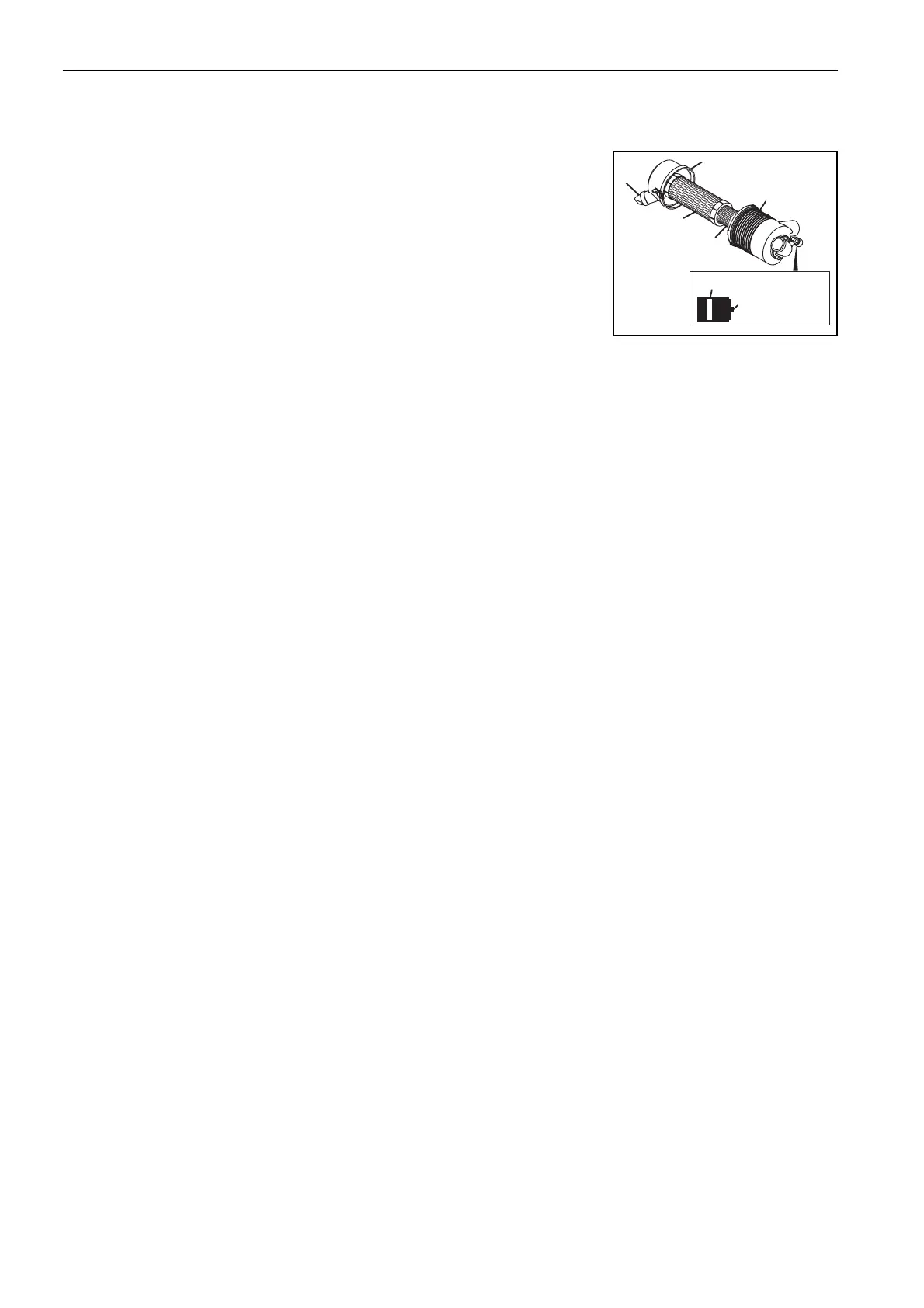
Check the service indicator as indicated in the Maintenance chart. If the red
band becomes visible in the window, replace the filter elements.
Do not remove the elements to inspect or clean. The removal of the air filter
can allow dirt to enter into the engine.
When replacement is needed, first clean the outside of the filter housing, then
remove the old elements carefully.
Clean the inside of the filter housing. Make sure that dirt does not get into the
engine inlet hose.
Inspect the new elements. Do not use a damaged element and never use an incorrect element.
Assemble the secondary and primary filter elements. Make sure the elements seat correctly. Press the button to
set the service indicator.
Assemble the cap to the filter housing. Make sure the cap seals around the filter housing. The dust valve on the
cap must be at the bottom of the filter. Fasten the cap with the two clips.
Check the air filter hoses for wear or damage. Make sure the hose clamps are tight and hold the hoses in
position.








 To Next Page