AS 680/682
Description, Operation and Maintenance Supervisor Operation
ADS−B
5−5Ed. 10.07
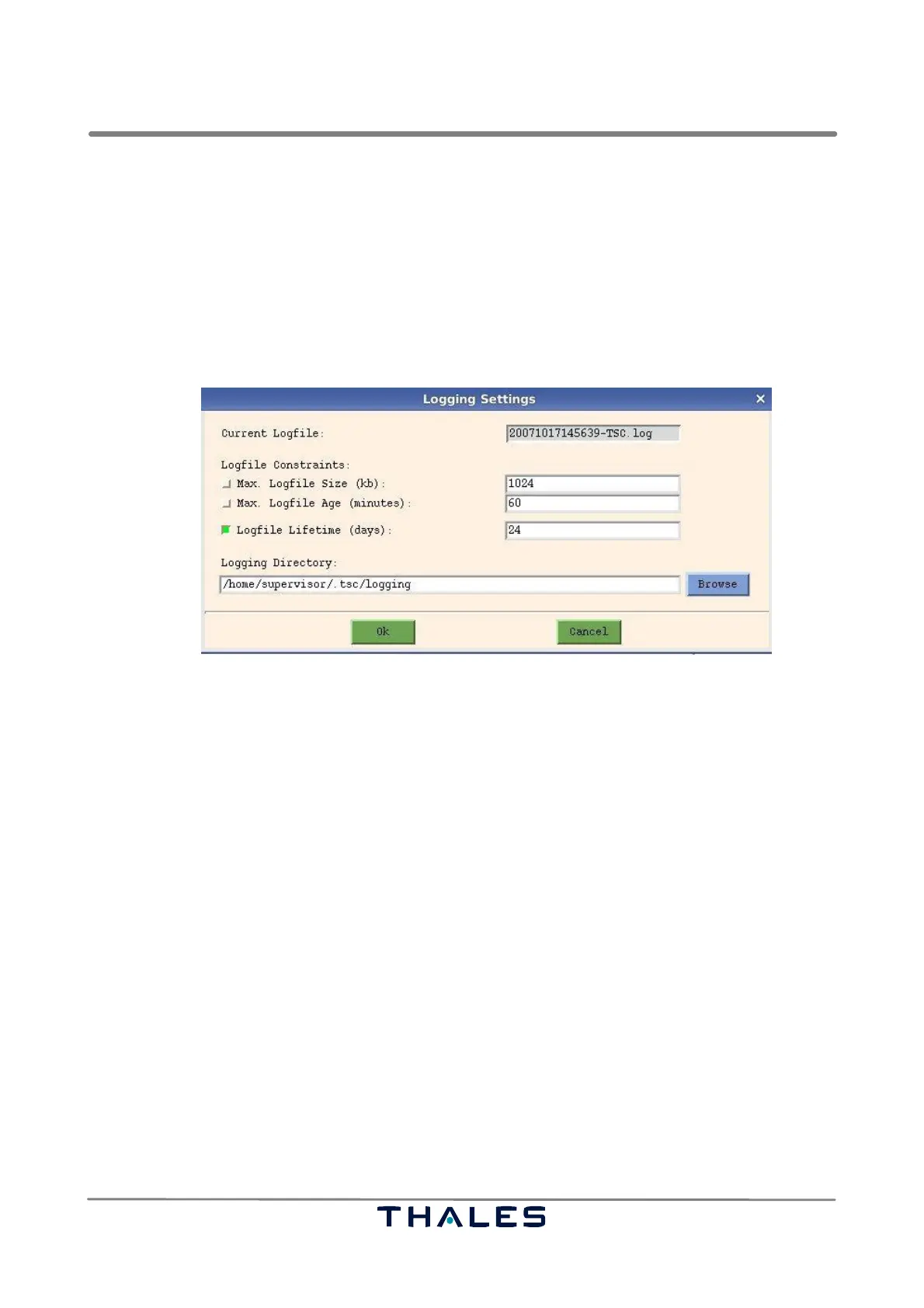
The last field in this dialog shows the directory where log files are kept. The default logging directory
is [home]/.tsc/logging where [home] is the current user’s home directory. If the environment
variable $HOME is not set correctly or the directory does not exist, logging is disabled and an error
message is printed.
If the logging directory is changed, a new log file will be created after the change is validated by press-
ing the OK button.
The parameters ’Max. Logfile Size’, ’Max. Logfile Age’, ’Logfile Lifetime’ and ’Logging Directory’ are
saved in the file settings_startup_tsc.conf .
Fig. 5−4 Logging Settings Window (example)
5.3.4 Menu ’Refresh’
The Refresh menu items are used to refresh the notebook pages of the TSC user interface:
S Refresh All Pages : Updates each notebook page by requesting all parameters from
the Ground Station
S Refresh Current Page : Updates the current page by requesting the corresponding
parameters from the Ground Station
5.3.5 Menu ’Page’
This menu is used to bring the corresponding tabulator page to foreground. It can be used alterna-
tively to page selection with the help of the notebook tabs. The menu items are:
S Overview
S Bite
S Telegram Filter
S Groundstation
S Network
S Output
S Telegram Check
S Process



 To Next Page