4-3
User Manual PN 84469 Rev B
• Diagnostics – Enables the administrator to run a self-test, check system status, and view
the diagnostics log.
• About – Provides system level information for the antenna, modem, power supply,
system, VoIP Module, and Wi-Fi.
• Help – Provides a link to the VesseLINK
™
User Documentation (Users Guide,
Installation Instructions, and Quick Start Guide (QSG)).
Menu Components
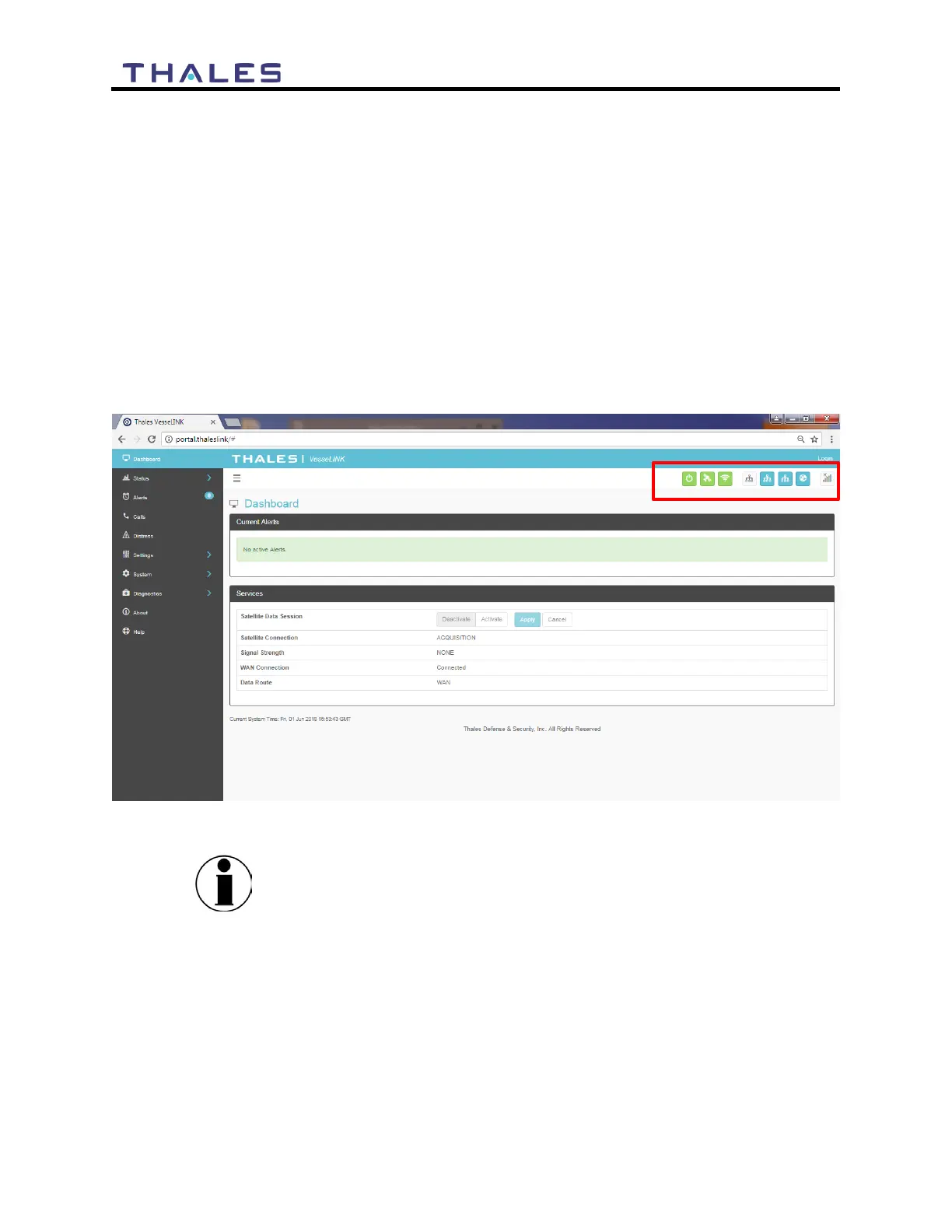
The system Status Icons at the top of the screen, highlighted in Figure 4-1, provide system level
information that is useful to the user. When selecting these icons by clicking or pressing on them,
they provide addition screen(s) of information and a quick way to make certain configuration
setting changes by the administrator.
Figure 4-1 Quick Link Icons
Status icons on the GUI may lag those on the BDU, due to the
GUI refreshing every 10 to 15 seconds.


 To Next Page