4-14
User Manual PN 84469 Rev B
Calls
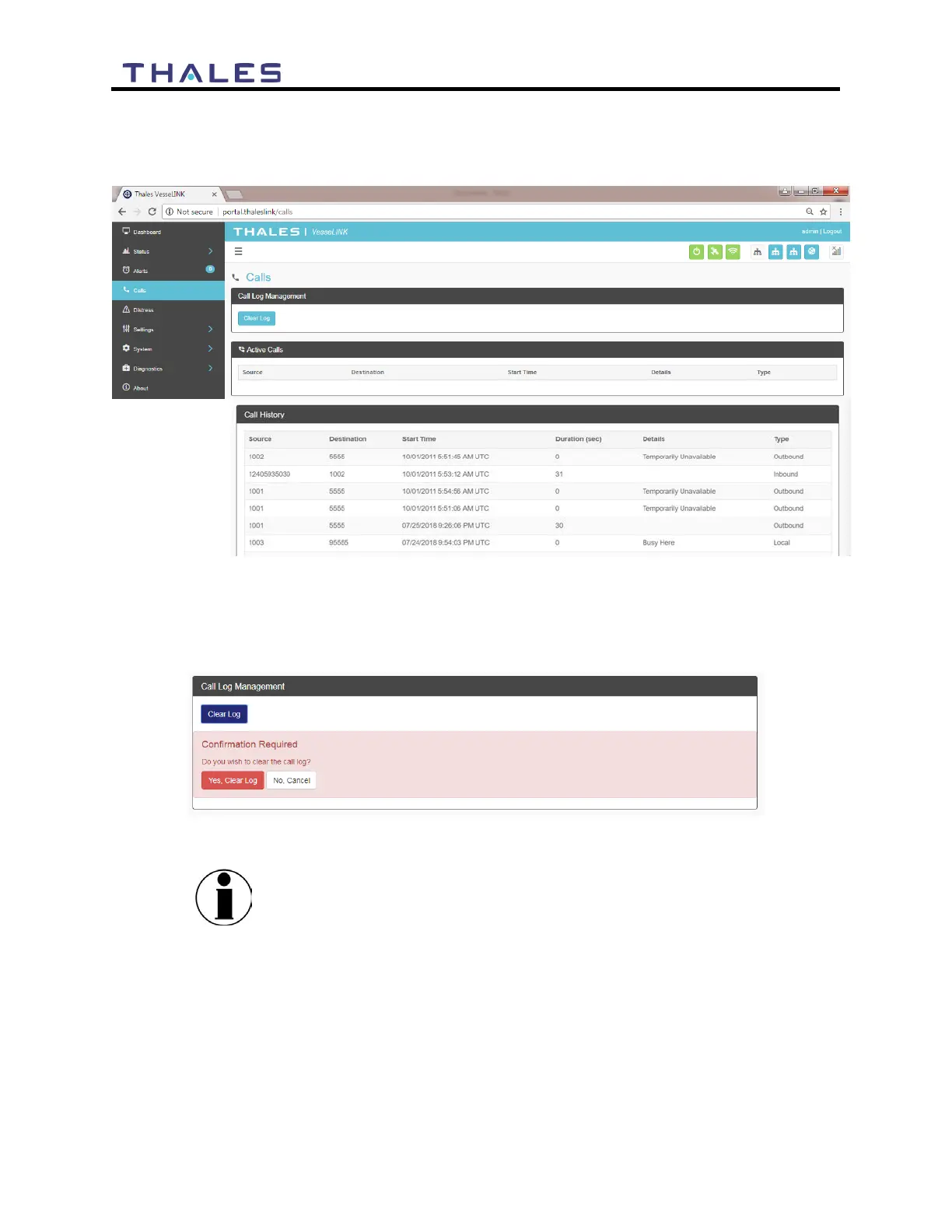
Selecting the Calls menu item (Figure 4-16) provides the call logs for active and past calls.
Figure 4-16 Call Log Screen
Under CALL LOG MANAGEMENT (Figure 4-17), the operator can CLEAR the call log by
selecting CLEAR LOG and then confirming by selecting YES, CLEAR LOG..
Figure 4-17 CLEAR Call Log
CALL HISTORY displays the last 100 calls that were made.


 To Next Page