6-1
User Manual PN 84469 Rev B
MAINTENANCE
GENERAL
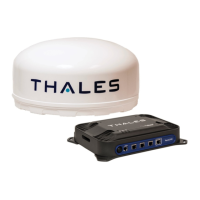
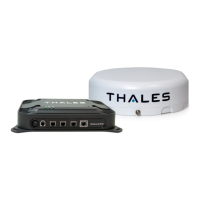
This chapter provides operator maintenance instructions for the BDU and ADU. This includes,
preventive maintenance and troubleshooting procedures.
PREVENTATIVE MAINTENANCE
Inspection and Cleaning
The equipment should be occasionally inspected for external damage, such as bent connectors
and wear items, such as loose attaching hardware. The equipment should be cleaned
periodically, particularly after exposure to salt water, sand, or mud. With the TU turned off, use a
slightly damp rag (water only) to clean the BDU and/or ADU. If water ingress is detected, air dry
(or dry with low pressure air (if available)) to allow the unit to dry prior to applying power.
TROUBLESHOOTING
Table 6-1 Troubleshooting
Satellite LED Flashing
GREEN
• Flashing GREEN light indicates that it is acquiring the satellite. If
it continues to flash for more than 5 minutes, check that the
antenna has a clear view of the sky.
Satellite LED Flashing
RED
• Critical Fault Detected. Open Management Portal
http://portal.thaleslink and check Alerts. Make any adjustments.
(For example: check antenna connection, or GPS not acquired.)
• Turn unit off and on again. If same result, contact your service
System LED Flashing
Green
• Start-up in progress. Wait until unit has run diagnostics and
completed start procedure. This may take more time than usual
when acquiring satellites for the first time
• Switch power off and back on if the light doesn’t turn solid green
System LED Flashing
RED
Fault Detected. Open Management Portal http://portal.thaleslink and
check for alerts. Make any adjustments. (For example: Common alerts
include, but not limited to, are the SIM Card not installed, SIM Card
not provisioned. Power-Up Test (POST) failure.)
• Turn unit off and on again. If same result, contact your service


 To Next Page