5-2
User Manual PN 84469 Rev B
5. Select CHOOSE FILE.
6. Go to File Input and select the Browse button.
7. Navigate to location of downloaded file. This file should have the firmware version
and “.swu” as the file extension
o Example: thaleslink_0.0.22.1.swu
8. Select the SELECT button
9. After file has been selected return to the Firmware page.
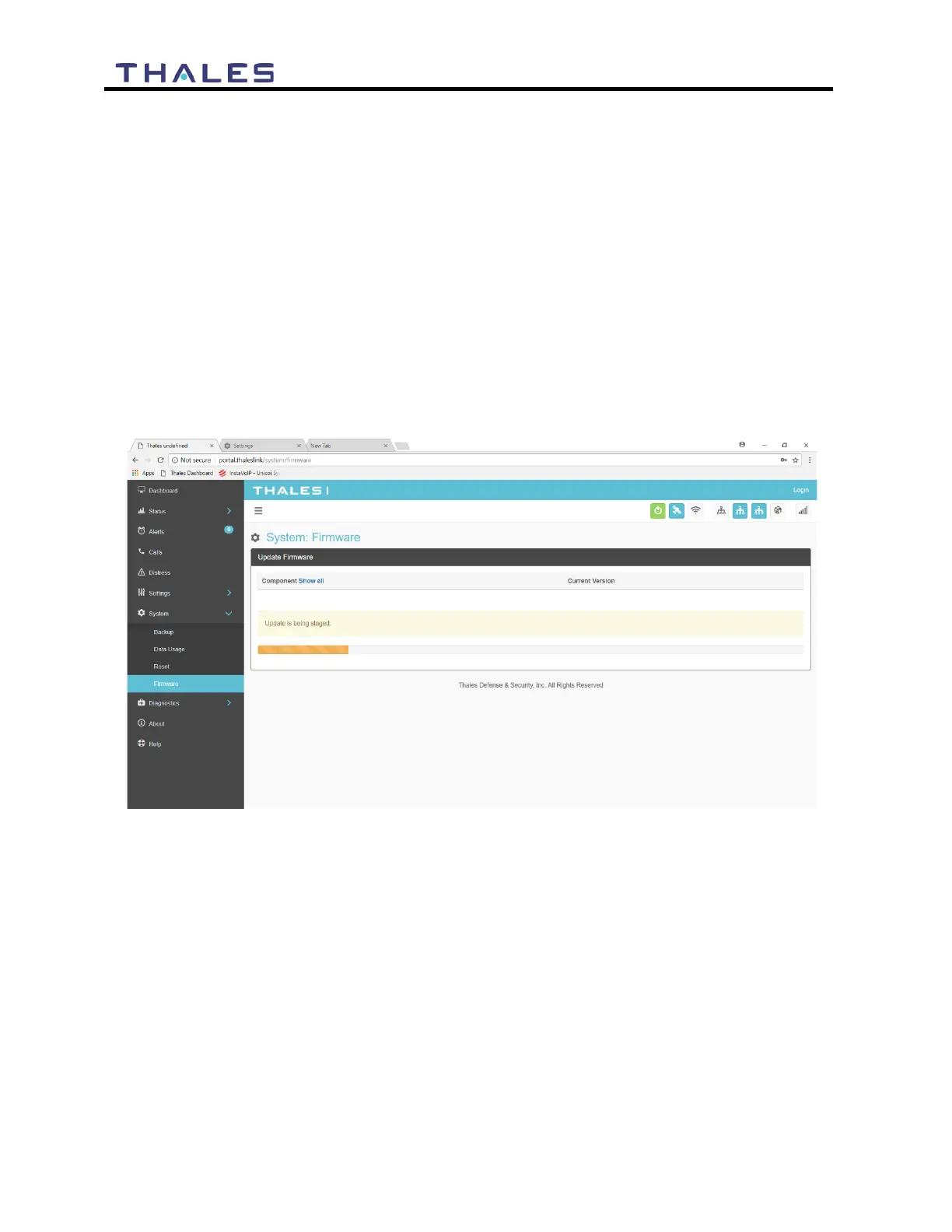
10. Select UPLOAD UPDATE button. This may take a few seconds as a progress bar
moves across the page (Figure 5-2).
Figure 5-2 Firmware Being Staged
11. Once staged the Firmware page will display UPDATE STAGED (At this point user
will be able to see Current and New Versions side by side on the Firmware page)
12. Select “Yes, Update”.


 To Next Page