4-42
User Manual PN 84469 Rev B
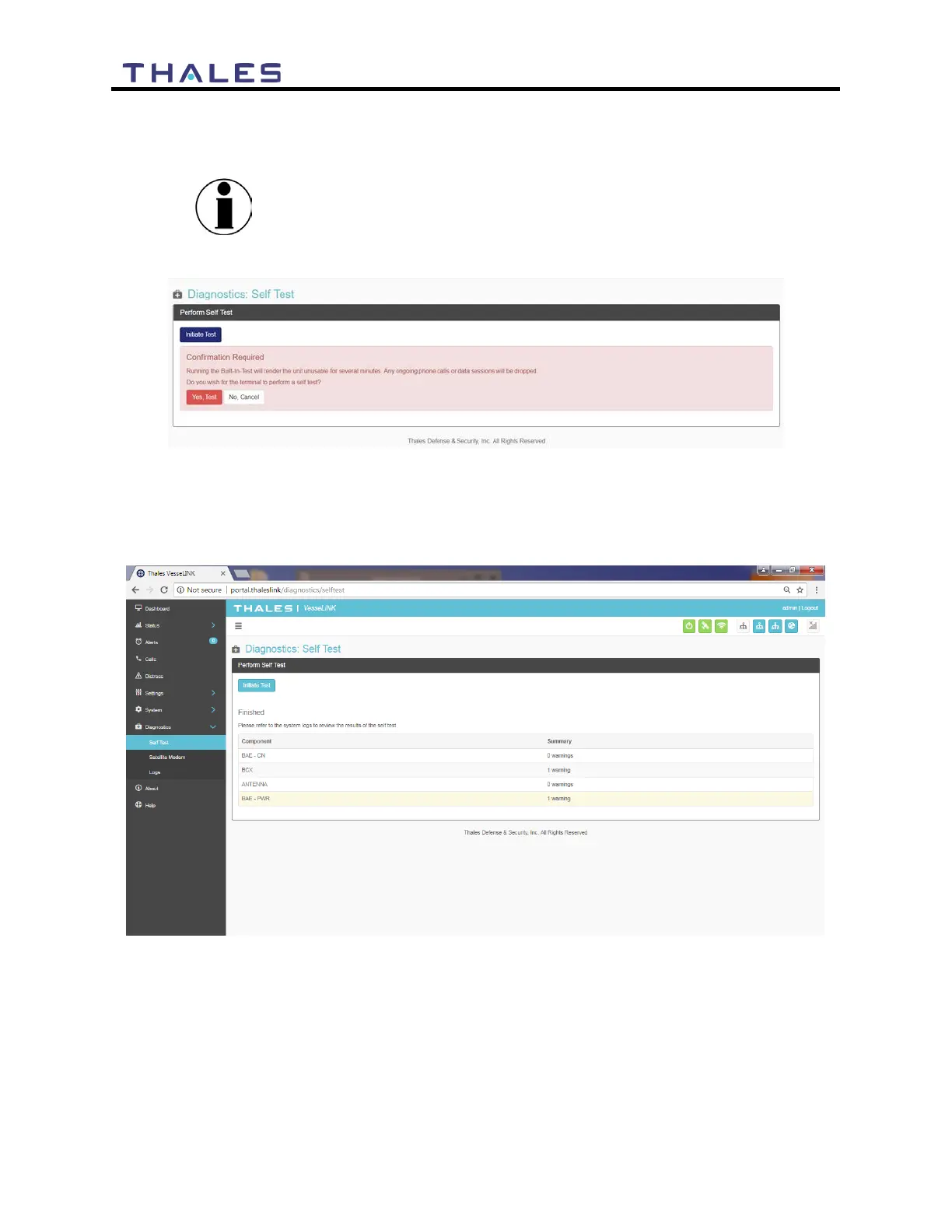
Refer to Figure 4-39. Select INITIATE TEST and then confirm by selecting YES, TEST to
perform the self-diagnostics test.
Running the Built-in-Test will render the unit unusable for
several minutes. Any on-going calls or data sessions will be
dropped.
Figure 4-39 Perform Self-Test Confirmation
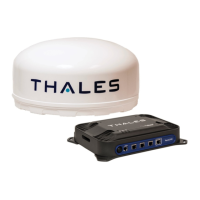
Once the Self-Test is complete, you will be directed to refer to the system logs (Figure 4-42) for
results of the test (Figure 4-40).
Figure 4-40 Perform Self-Test Completed Screen


 To Next Page