4-35
User Manual PN 84469 Rev B
Location Services
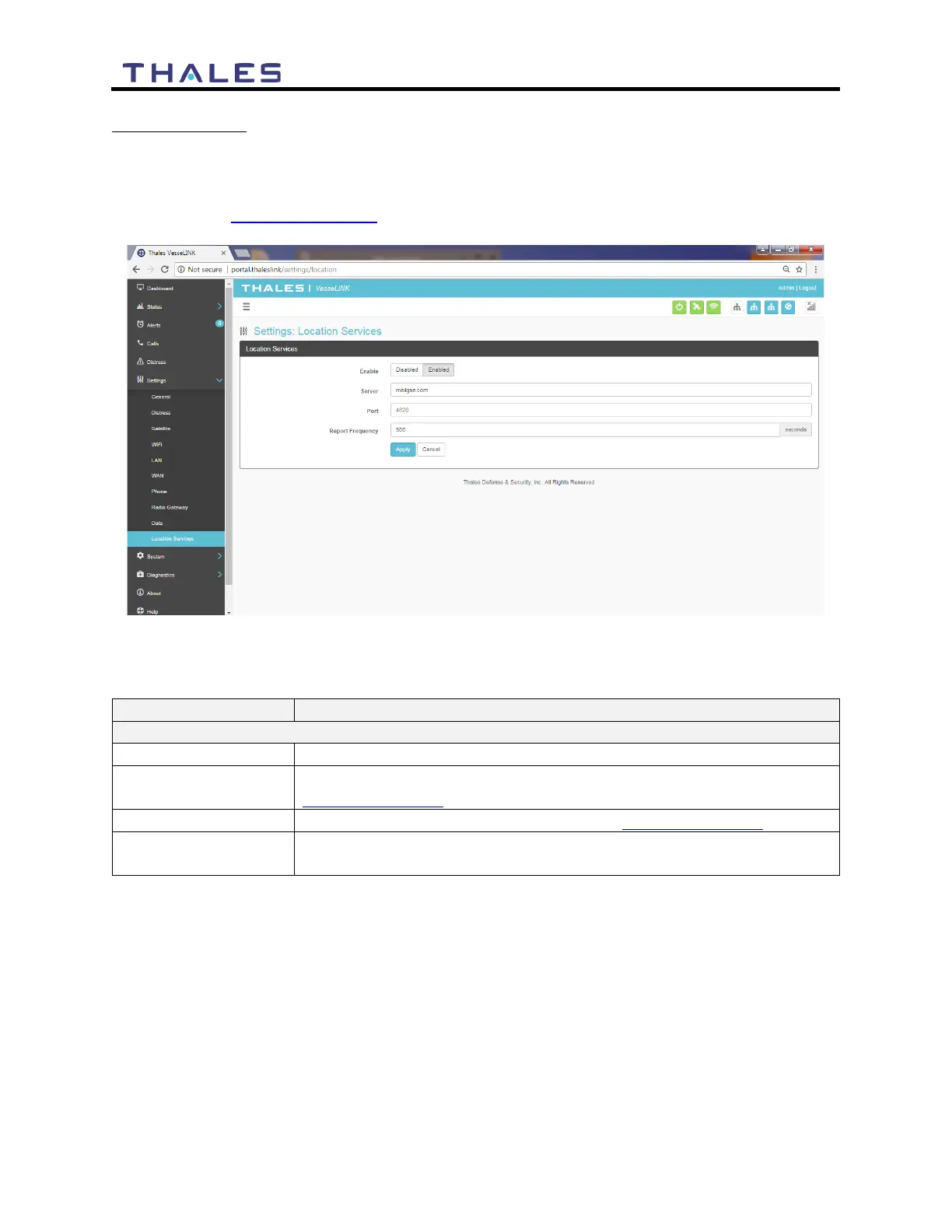
From the Location Services page, shown in Figure 4-31, Location Services are enabled and
disabled and the settings are configured (when enabled). Thales offers ClearSIGHT as the
preferred tracking service. This requires an account and service subscription. More information
can be found at www.clrSight.com.
Figure 4-31 Settings
Location Services Screen
Table 4-12 Settings
Location Services
Disabled / Enabled (Disabled is the default setting)
Enter the name of server. Get this information from
www.clrSight.com
Enter the port number of the service from www.clrSight.com
Default setting is 120 seconds. When DISTRESS is set to enabled,
frequency will be every 5 minutes.


 To Next Page