4-15
User Manual PN 84469 Rev B
Distress
NOTE
Distress Messages can only be configured by the administrator.
If the user is not logged in as ADMIN and selects MANAGE
DISTRESS, the user will see icon, indicating this function is
not available.
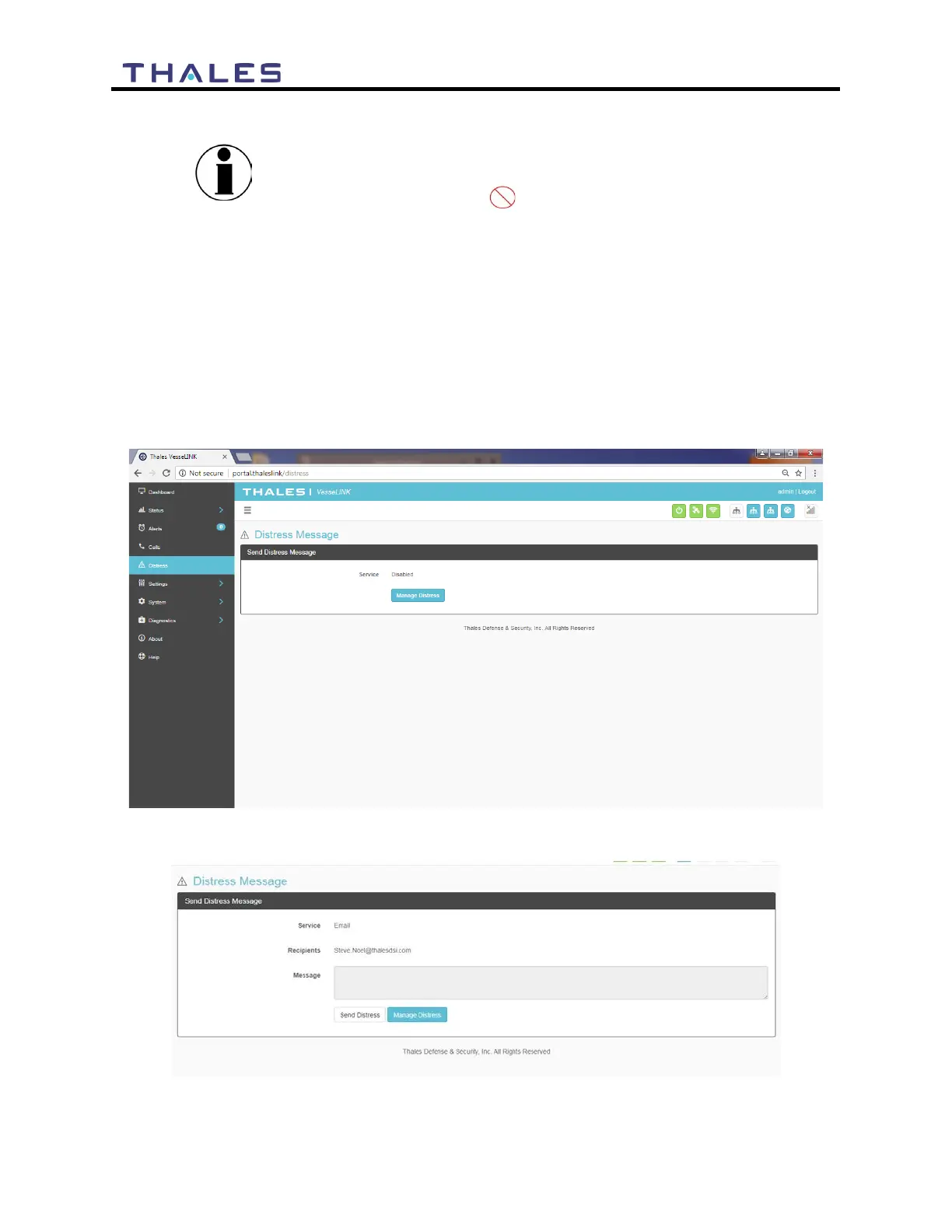
The Distress Message (Figure 4-18) menu item allows for enabling and sending a distress email
message.
Selecting MANAGE DISTRESS will open the SETTING DISTRESS SIGNAL screen
(Figure 4-22). From here, set up the Distress Message by selecting Email from the drop down
box. Once the required email information has been entered, including the message to be sent,
select APPLY. For additional information, refer to SETTING DISTRESS SIGNAL.
Figure 4-18 DISTRESS (Disabled View)
Figure 4-19 DISTRESS (Enabled View)


 To Next Page