4-26
User Manual PN 84469 Rev B
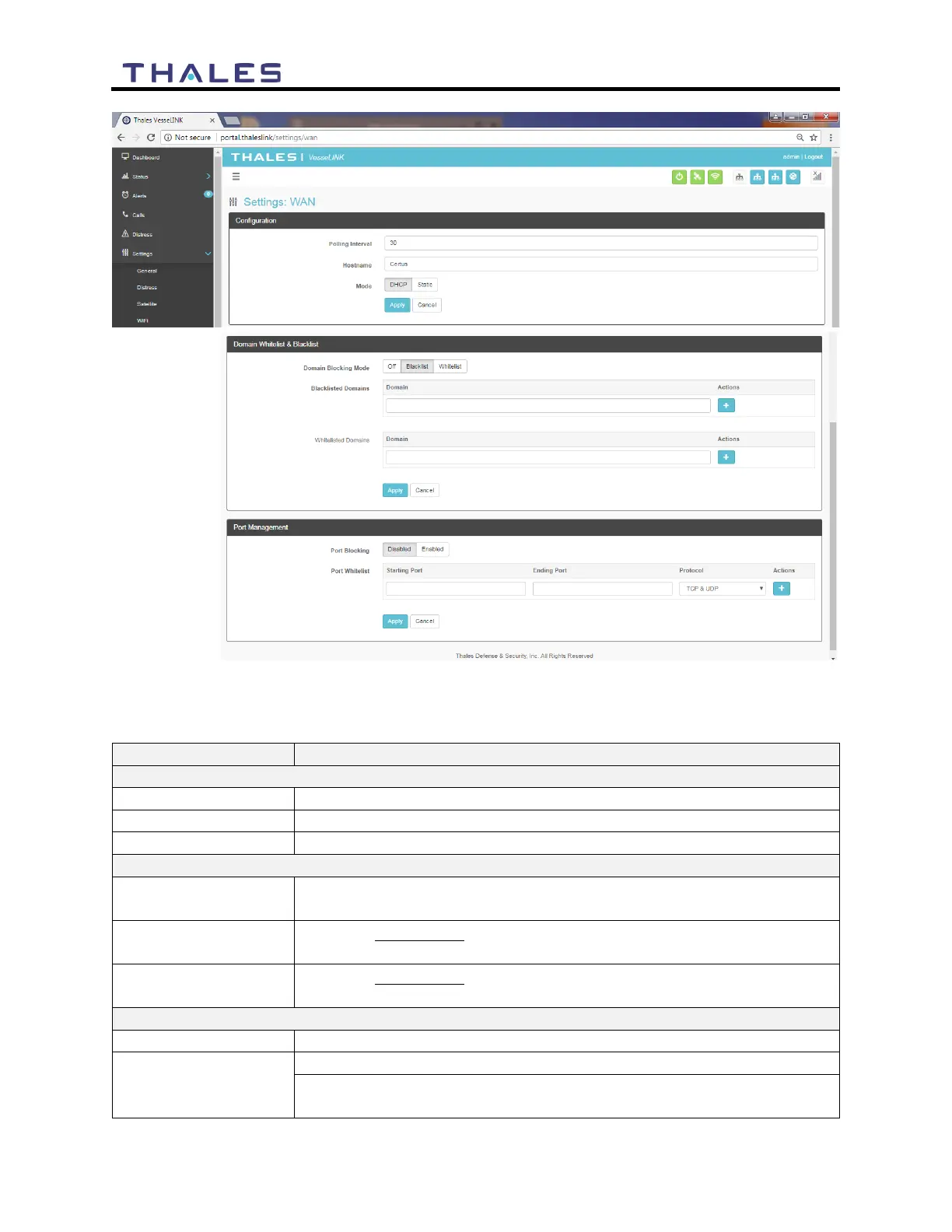
Figure 4-27 Settings
WAN Screen
Table 4-8 Settings
WAN
Sets the length of polling intervals, 30 is the default setting
Lists the Hostname. Certus
™
is the default setting.
Select DHCP or Static. (DHCP is the default setting.)
Domain Whitelist & Black List
OFF / Blacklist / Whitelist (OFF is the default setting)
Enabling allows ALL websites EXCEPT those listed (very little
restriction)
Enabling blocks ALL websites EXCEPT those listed (the most
restriction)
Disabled / Enabled (Disabled is the default setting)
Enter the Starting Port and Ending Port number.
Select the applicable protocol (TCP & UDP or TCP only or UDP
only) (TCP & UDP is the default setting)


 To Next Page