Installation
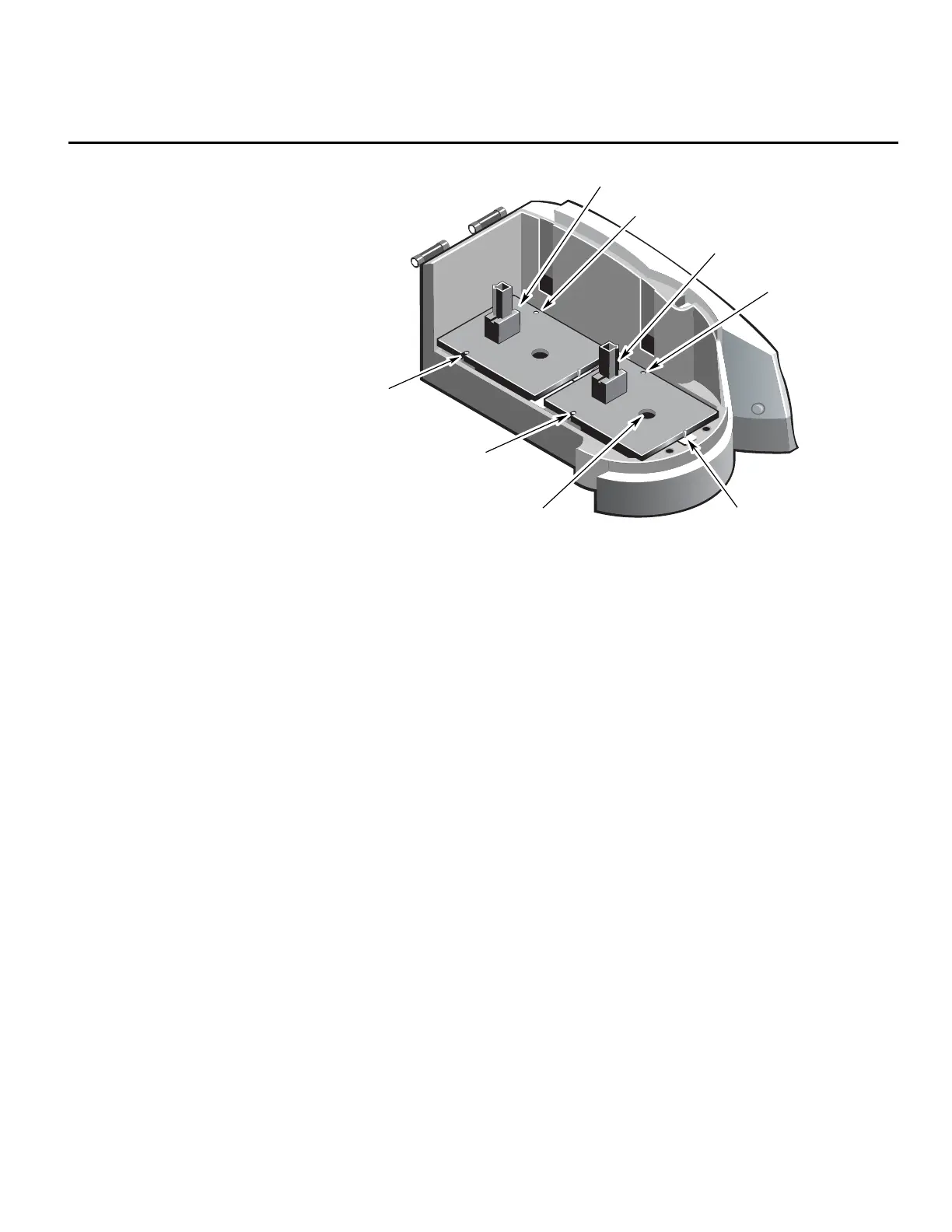
Reference position
cell holder
Sample position
cell holder
Spring loaded
toggle
Finger hole
Pin B
Pin A
Pin B
Pin A
1. Open the main lid of the sample compartment and remove any
accessory that may be present in the sample (front) position.
2. Position the accessory so that the holes towards the rear are aligned
over pins A and B in the instrument.
When properly aligned, gently push the front end of the accessory
downward until plate snaps into place under the toggle.
This positive location system ensures that the accessory is correctly
aligned in the corresponding optical beam.
For removal of the accessory:
• Grip the accessory through the finger hole in the accessory and pull
it upwards.
• For accessories with no finger hole, grip the accessory using the
handles.
Thermo Fisher Scientific Evolution 300 and Evolution 600 User Guide 9












 To Next Page