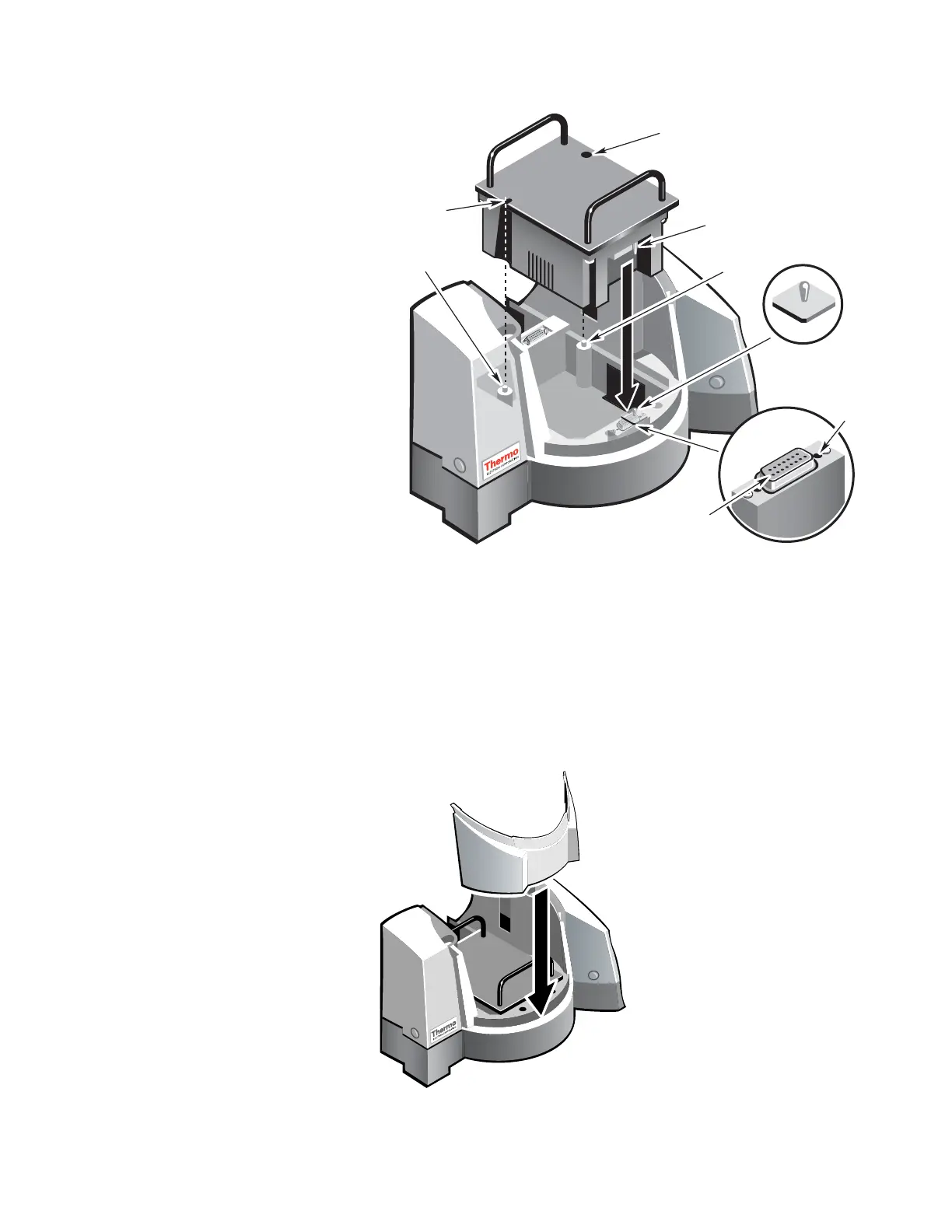
hole B
Tapered
guide pin
lignment
hole A
Pin A
Pin B
Springloaded
toggle
D-connector
(female)
Guide
pin ho
Note On the Smart Peltier Thermostatted Single Cell Holder, the alignment
holes and pins are not visible due to the plastic cover over the unit.
5. Press down on the front of the unit to complete the connection
between the accessory and the D connector.
6. Replace the front wall of the sample compartment.
Thermo Fisher Scientific Evolution 300 and Evolution 600 User Guide 23












 To Next Page