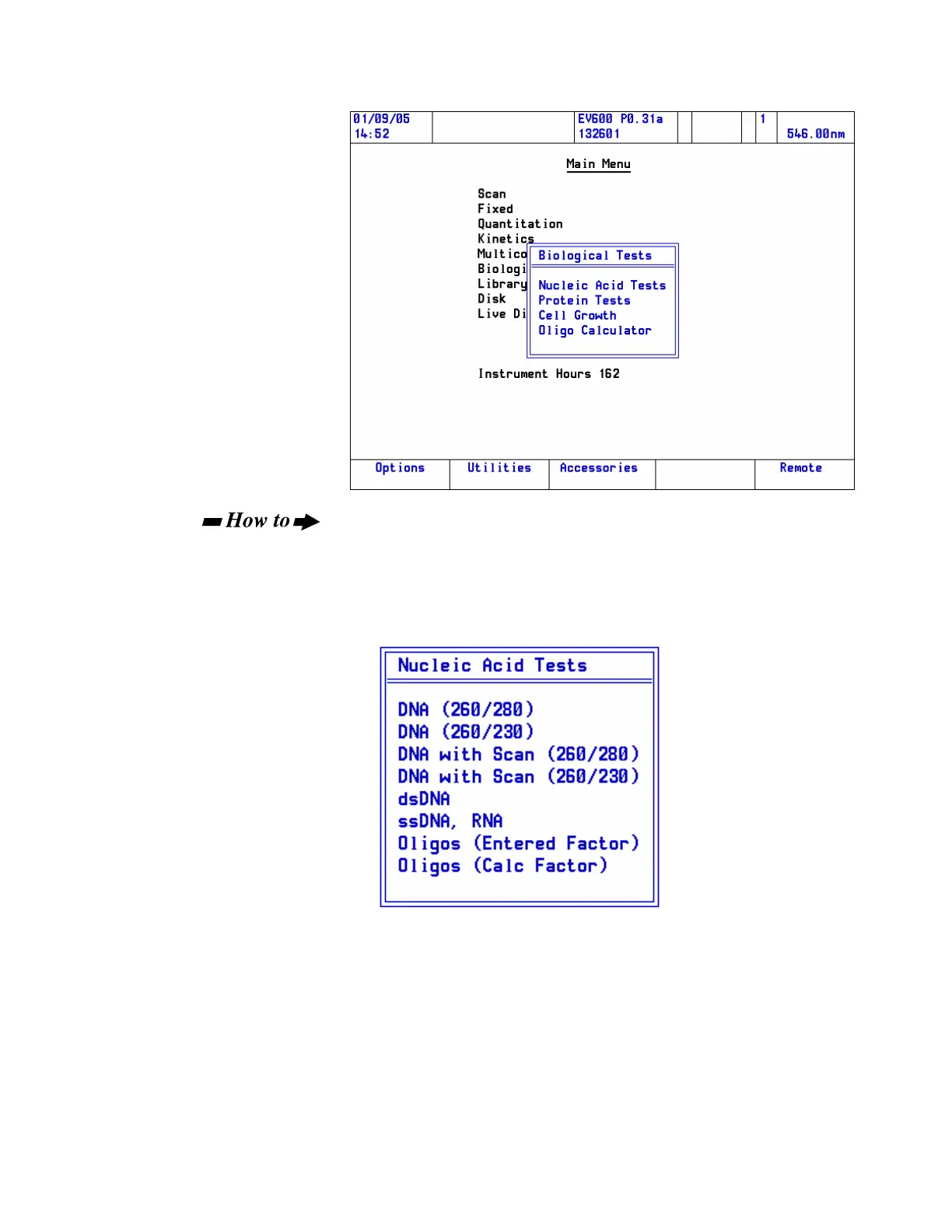
Run a Nucleic Acid test:
1. Choose Nucleic Acid Tests and press Enter.
2. Highlight the Nucleic Acid Tests and press Enter.
Choose the required test from the Nucleic Acid Tests sub-menu.
The relevant test page opens. The content and layout of the page will
depend on the test selected, the way the software is configured and
which accessories are installed.
Thermo Fisher Scientific Evolution 300 and Evolution 600 User Guide 57












 To Next Page