4AlwaysOnUSB3.0connector
Bydefault,theAlwaysOnUSB3.0connectorenablesyoutochargetheUSB-compatibledevicesinthe
followingsituations:
•Whenyourcomputerisonorinsleepmode
•Whenyourcomputerisofforinhibernationmode,butconnectedtoacpower
Attention:WhenyouattachaUSBcabletothisconnector,ensurethattheUSBmarkisfacingupward.
Otherwisetheconnectormightgetdamaged.
Tochargethesedeviceswhenthecomputerisofforinhibernationmode,andthecomputerisnotconnected
toacpower,dothefollowing:
1.StarttheLenovoSettingsprogram.See“AccessingLenovoprograms”onpage10.
2.ClickPOWER.
3.Followtheinstructionsonthescreentomakeyourpreferredsetting.
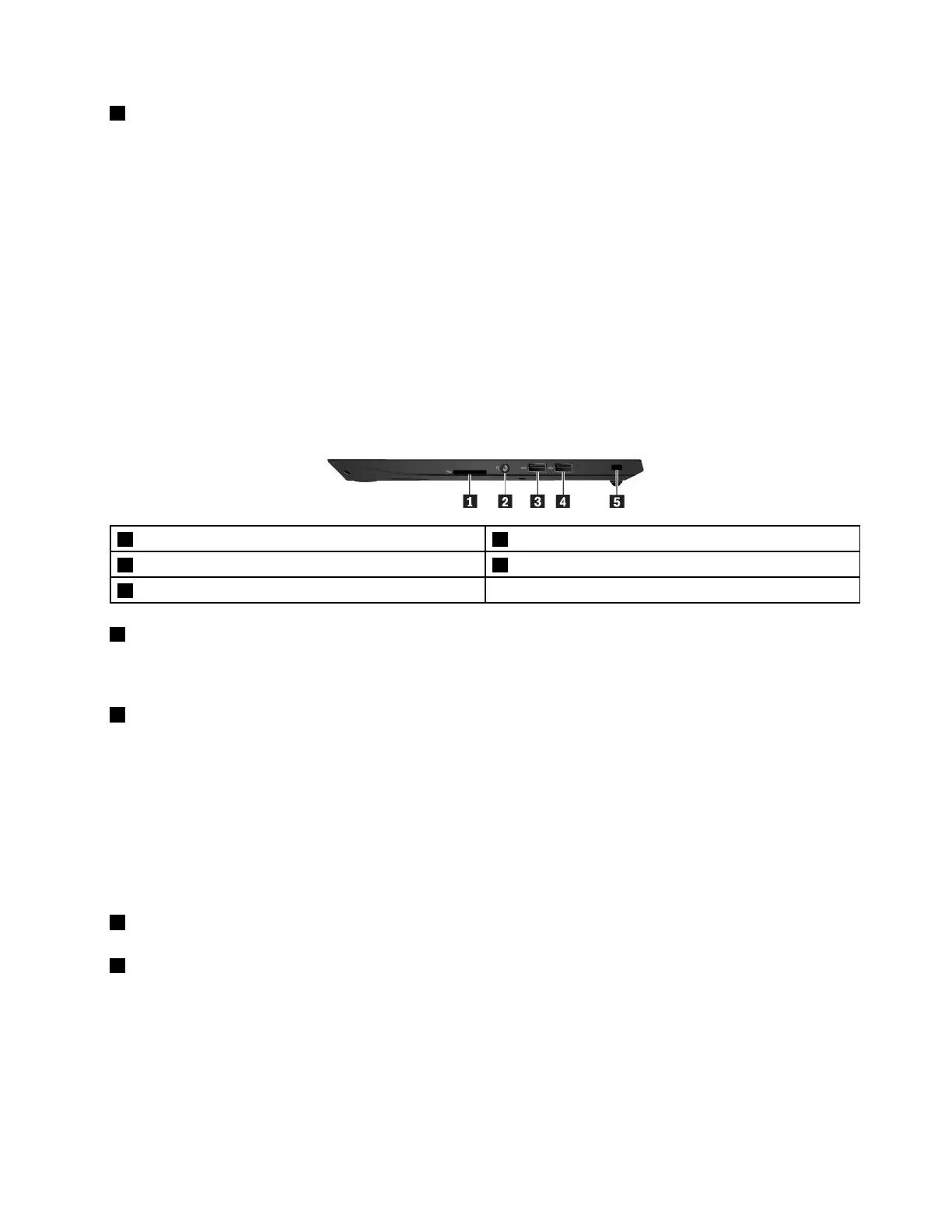
Right-sideview
1Media-cardslot2Audioconnector
3USB3.0connector4USB2.0connector
5Security-lockslot
1Media-cardslot
Youcaninsertaflashmediacardintothemedia-cardslotfordataaccessorstorage.Formoreinformation,
see“Usingamediacard”onpage26.
2Audioconnector
Youcanconnectheadphonesoraheadsetwitha3.5-mm(0.14-inch),4-poleplugtotheaudioconnectorto
listentothesoundfromthecomputer.
Ifyouareusingaheadsetwithafunctionswitch,donotpressthisswitchwhileusingtheheadset.Ifyou
presstheswitch,theheadsetmicrophoneisdisabled,andtheintegratedmicrophonesonthecomputeris
enabledinstead.
Note:Theaudioconnectordoesnotsupportaconventionalmicrophone.Formoreinformation,see“Using
audiofeatures”onpage25.
3USB3.0connector
4USB2.0connector
YoucanusetheseUSBconnectorstoconnectUSB-compatibledevices,suchasaUSBkeyboard,USB
mouse,USBstoragedevice,orUSBprinter.Foroptimaldatatransfer,connectaUSB3.0devicetotheUSB
3.0connectorinsteadoftheUSB2.0connector.
Attention:WhenyouattachaUSBcabletothisconnector,ensurethattheUSBmarkisfacingupward.
Otherwisetheconnectormightgetdamaged.
Chapter1.Productoverview3



 To Next Page