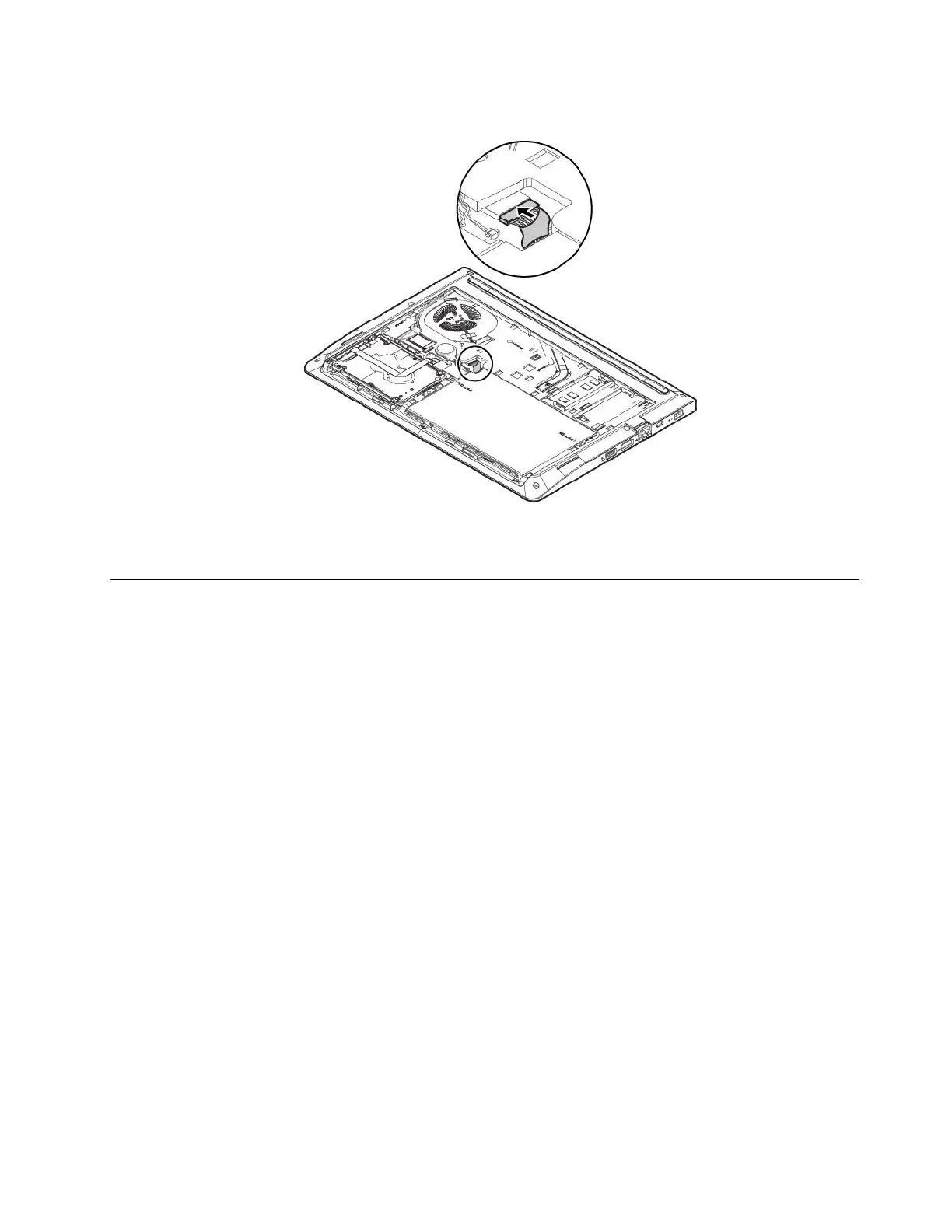
8.Connectthemainbatteryconnector.
9.Reinstallthebottomcover.See“Replacingthebottomcover”onpage76.
10.Turnthecomputerover.Connecttheacpoweradapterandallcablestothecomputer.
Replacingtheinternalstoragedrive
Beforeyoustart,read“Importantsafetyinformation”onpagevandprintthefollowinginstructions.
Attention:Theinternalstoragedrive(suchasharddiskdrive,solid-statedrive,orhybriddrive)issensitive.
Inappropriatehandlingmightcausedamageandpermanentlossofdata.
Whenhandlingtheinternalstoragedrive,observethefollowingguidelines:
•Replacetheinternalstoragedriveonlyforupgradeorrepair.Theinternalstoragedriveisnotdesigned
forfrequentchangesorreplacement.
•Beforereplacingtheinternalstoragedrive,makeabackupcopyofallthedatathatyouwanttokeep.
•Donottouchthecontactedgeoftheinternalstoragedrive.Otherwisetheinternalstoragedrivemightget
damaged.
•Donotapplypressuretotheinternalstoragedrive.
•Donotmaketheinternalstoragedrivesubjecttophysicalshocksorvibration.Puttheinternalstorage
driveonasoftmaterial,suchascloth,toabsorbphysicalshocks.
Toreplacetheinternalstoragedrive,dothefollowing:
1.Disablethebuilt-inbattery.See“Disablingthebuilt-inbattery”onpage75.
2.Ensurethatthecomputeristurnedoffanddisconnectedfromacpowerandallcables.
3.Closethecomputerdisplayandturnthecomputerover.
4.Removethebottomcover.See“Replacingthebottomcover”onpage76.
Chapter8.Replacingdevices79



 To Next Page