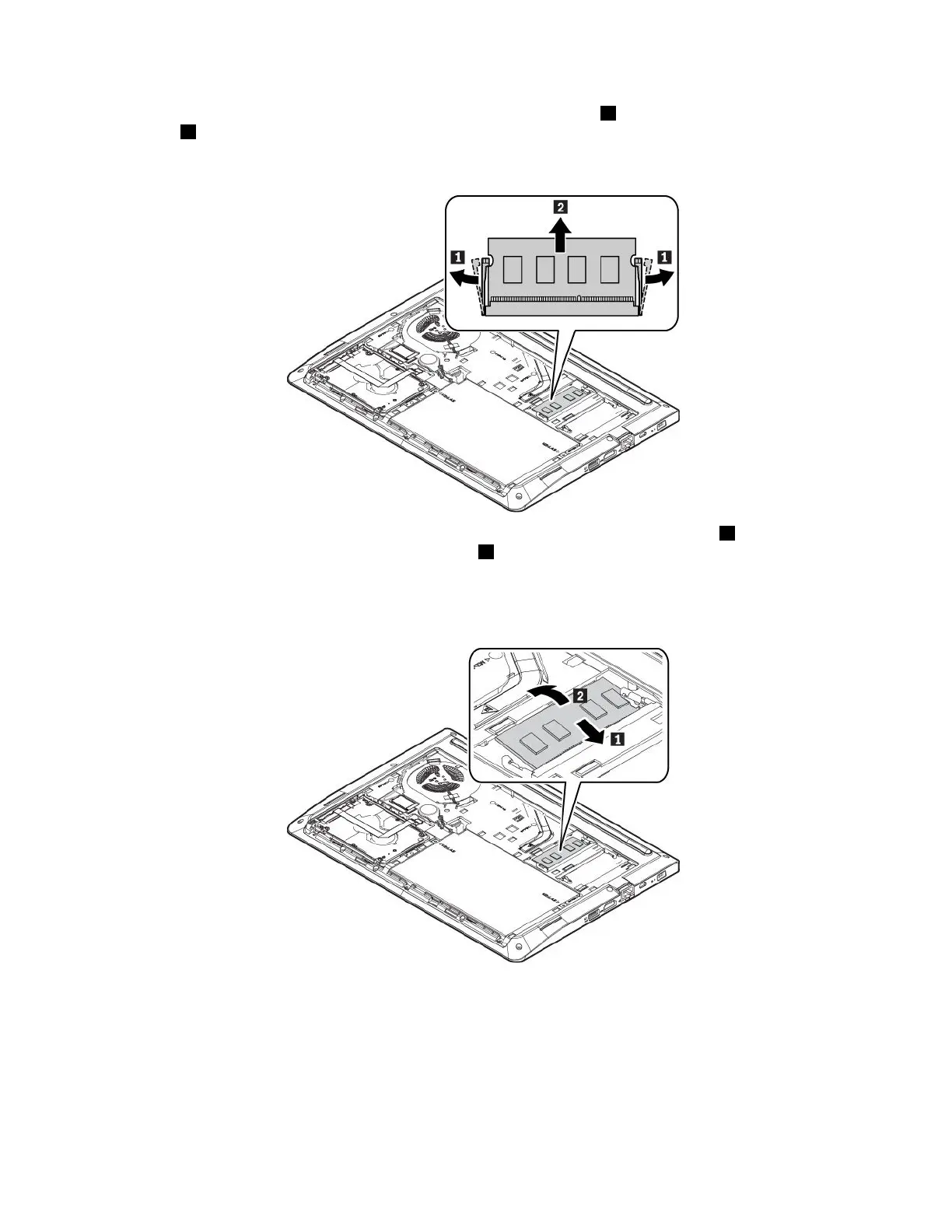
6.Openthelatchesonbothsidesofthememoryslotatthesametime1,andthenremovethememory
module
2.
Note:Afilmmightcoverthememorymodule.Toaccessthememorymodule,openthefilmfirst.
7.Insertthenewmemorymoduleintothememoryslotatanangleofabout20degrees1.Pivotthe
memorymoduledownwarduntilitsnapsintoplace2.Ensurethatthememorymoduleisfirmlyinstalled
inthememoryslotandcannotbemovedeasily.
Note:Ifyourcomputerhasonlyonememorymoduleinstalled,ensurethatitisinstalledinthememory
slotclosetothethermalfan.
78E470,E470c,andE475UserGuide



 To Next Page