5Security-lockslot
Toprotectyourcomputerfromtheft,lockyourcomputertoadesk,table,orotherfixturethroughasecurity
cablelockthatfitsthissecurity-lockslot.
Note:Youareresponsibleforevaluating,selecting,andimplementingthelockingdeviceandsecurity
feature.Lenovomakesnocomments,judgments,orwarrantiesaboutthefunction,quality,orperformance
ofthelockingdeviceandsecurityfeature.
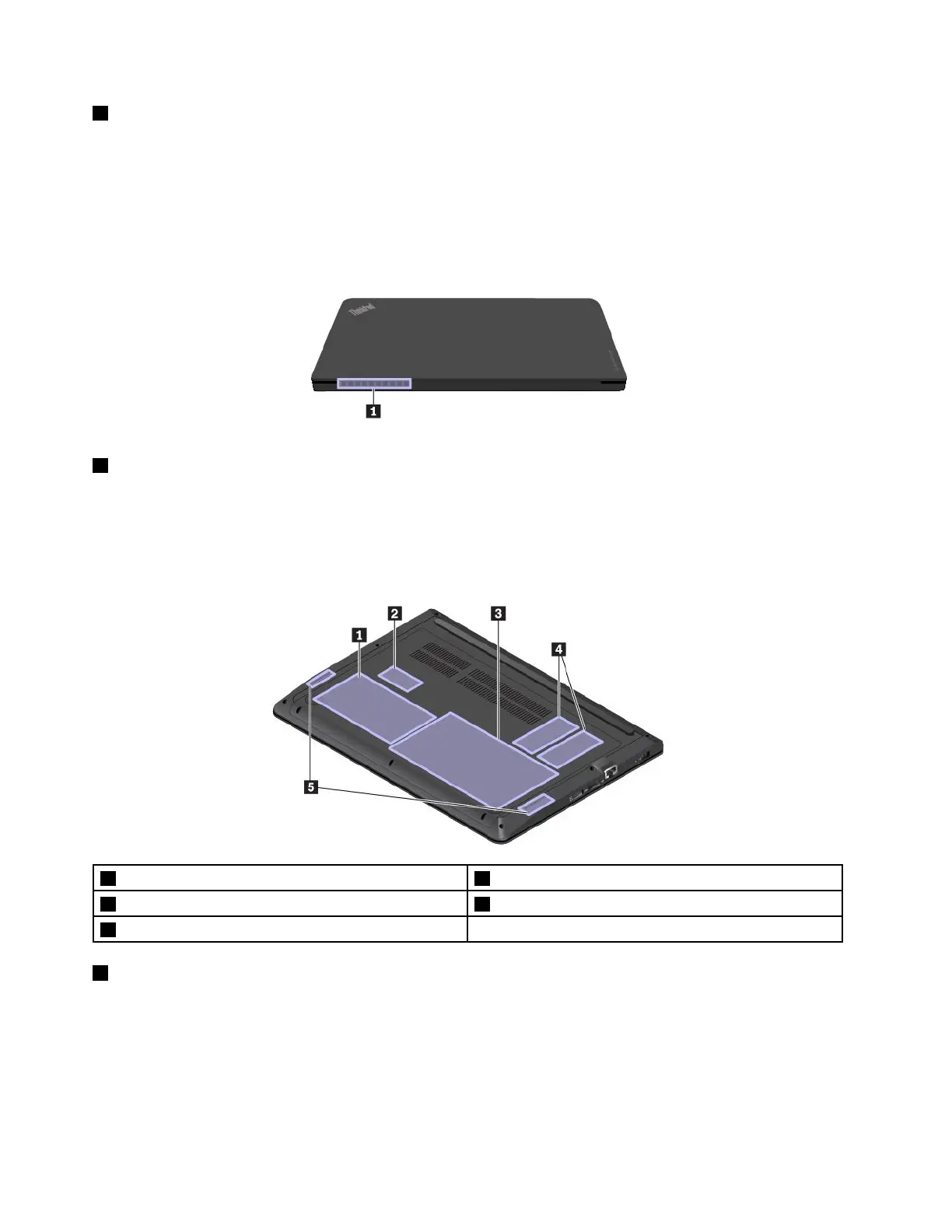
Rearview
1Fanlouvers
Thefanlouversandinternalfanenableairtocirculateinthecomputertoensurepropercooling,especially
thecoolingofthemicroprocessor.
Note:Toensureproperairflow,donotplaceanyobstaclesinfrontofthefanlouvers.
Bottomview
1Internalstoragedrive2Wireless-LAN-cardslot
3Built-inbattery4Memoryslots
5Speakers
1Internalstoragedrive
Yourcomputerhasalarge-capacity,customer-upgradableinternalstoragedriveinstalled.Dependingon
themodel,theinternalstoragedrivecanbeaharddiskdrive,solid-statedrive,orhybriddrivetomeet
variousstoragedemands.
Note:Thehiddenservicepartitionisthereasonwhythereislessfreespacethanexpectedonyourharddisk
drive,hybriddrive,orsolid-statedrive.
4E470,E470c,andE475UserGuide



 To Next Page