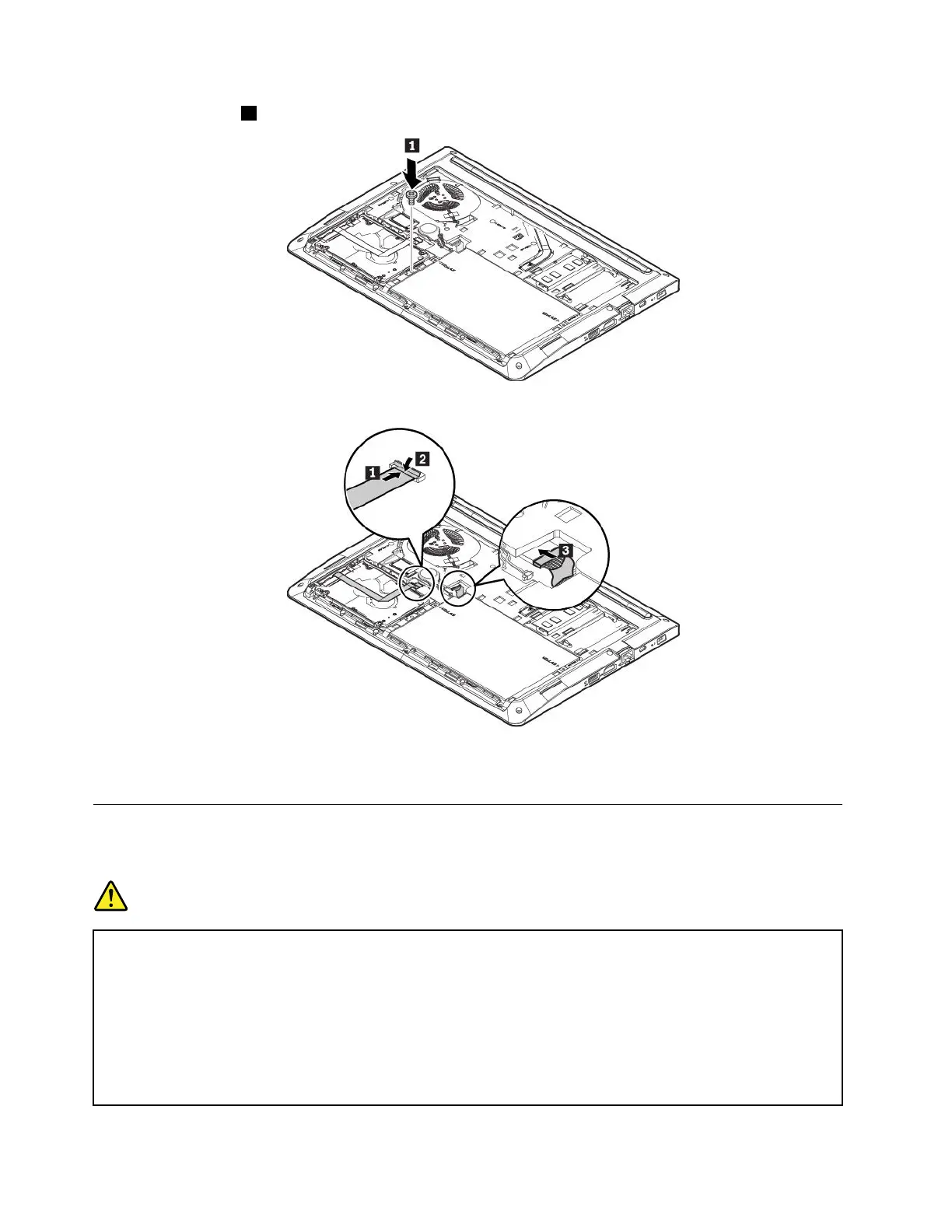
11.Installthescrew1tosecurethenewstoragedrive.
12.Connecttheinternalstoragedrivecableandthenconnectthemainbatteryconnector.
13.Reinstallthebottomcover.See“Replacingthebottomcover”onpage76.
14.Turnthecomputerover.Connecttheacpoweradapterandallcables.
Replacingthecoin-cellbattery
Beforeyoustart,read“Importantsafetyinformation”onpagevandprintthefollowinginstructions.
DANGER
Ifthecoin-cellbatteryisincorrectlyreplaced,thereisdangerofanexplosion.Thecoin-cellbattery
containsasmallamountofharmfulsubstance.Toavoidpossibleinjury:
•ReplaceonlywithabatteryofthetyperecommendedbyLenovo.
•Keepthebatteryawayfromfire.
•Donotexposeittoexcessiveheat.
•Donotexposeittowaterorrain.
•Donotshort-circuitit.
82E470,E470c,andE475UserGuide



 To Next Page