Attention:
•Beforeyoustartthereplacement,touchagroundedmetalobject.Thisactionreducesanystaticelectricity
fromyourbody.Staticelectricitymightdamagethememorymodule.
•Donottouchthecontactedgeofthememorymodule.Otherwisethememorymodulemightgetdamaged.
Toreplacethememorymodule,dothefollowing:
1.Disablethebuilt-inbattery.See“Disablingthebuilt-inbattery”onpage75.
2.Ensurethatthecomputeristurnedoffanddisconnectedfromacpowerandallcables.
3.Closethecomputerdisplayandturnthecomputerover.
4.Removethebottomcover.See“Replacingthebottomcover”onpage76.
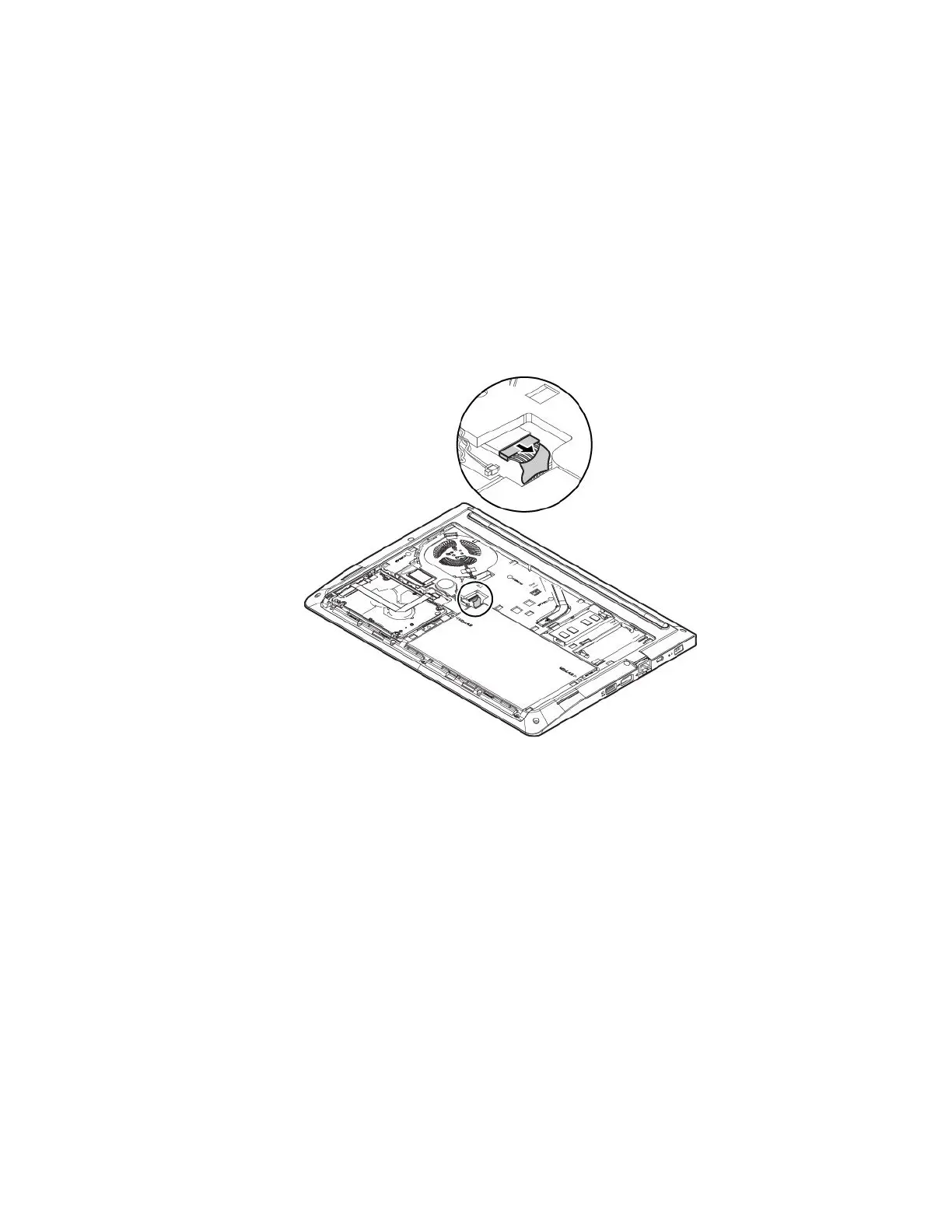
5.Disconnectthemainbatteryconnector.
Chapter8.Replacingdevices77



 To Next Page