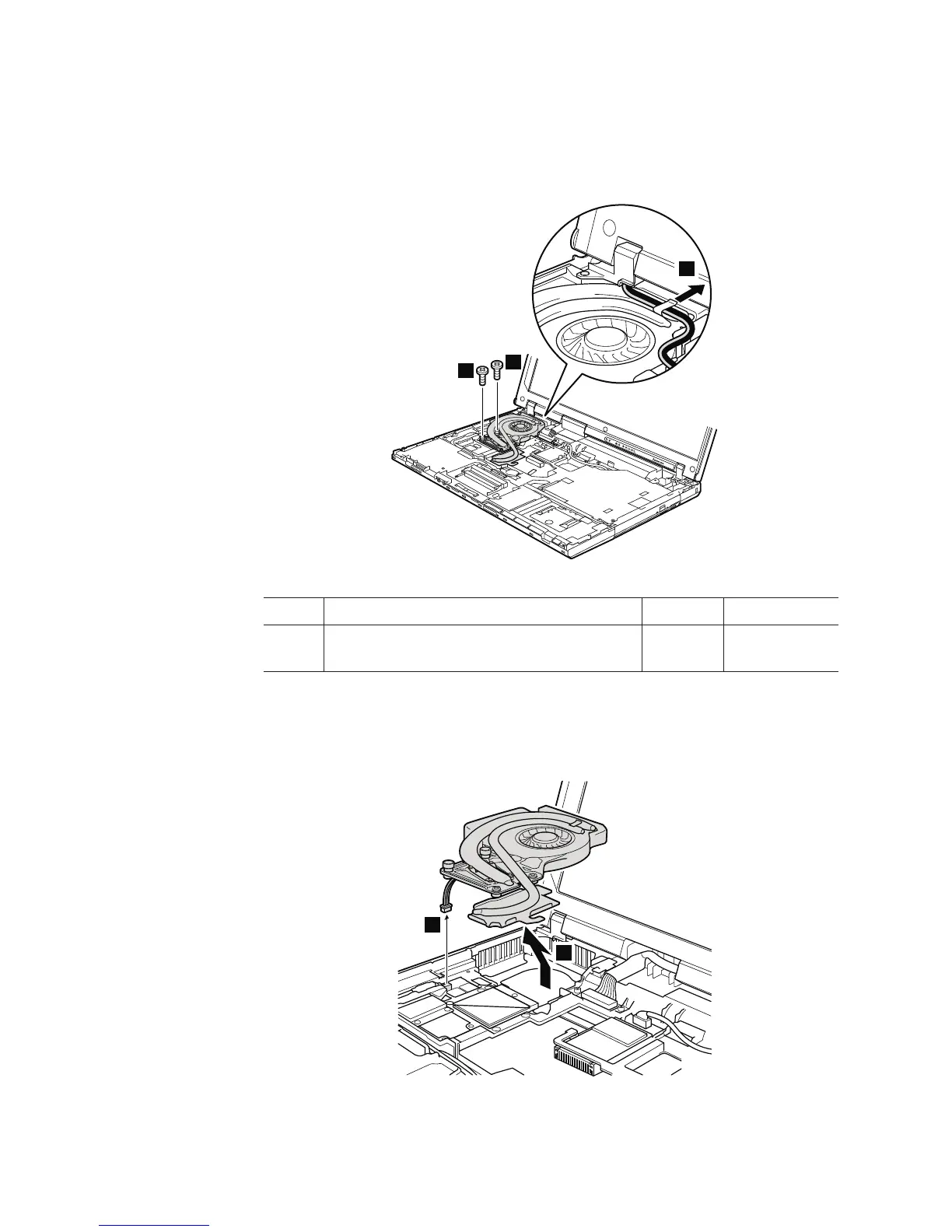
Table 19. Removal steps of fan assembly (continued)
Attention: Do not handle the fan roughly. Improper handling of the fan can
cause distortion or deformation and imperfect contact with components.
4
4
4
5
Step Screw (quantity) Color Torque
4 M2 × 9.5 mm, flat-head, nylon-coated (2) Black 0.167 Nm
(1.7 kgfcm)
In step 5, release the wireless antenna cables from the cable guide of the fan
assembly.
6
7
104 ThinkPad R500 Hardware Maintenance Manual



 To Next Page