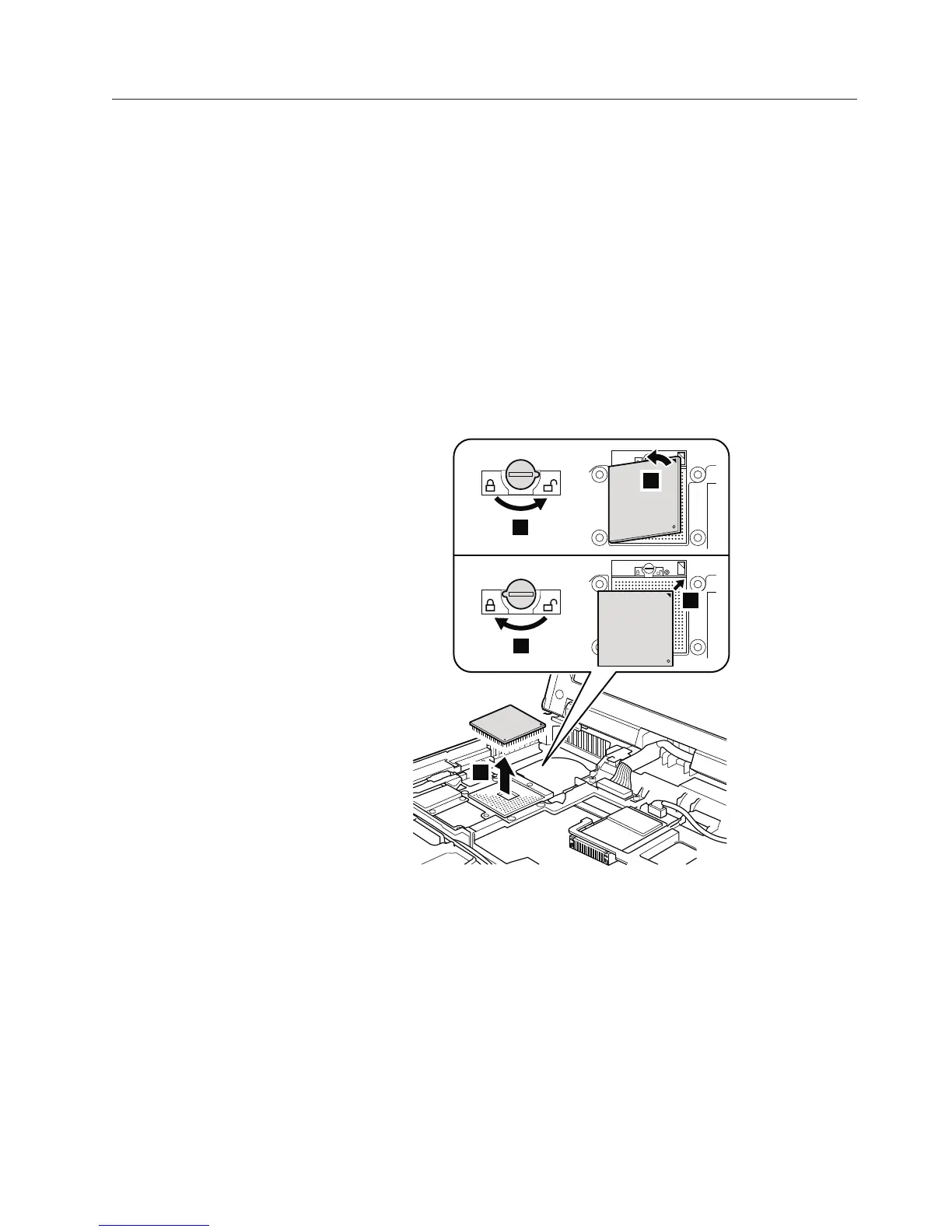
1120 CPU
For access, remove these FRUs, in order:
v “1010 Battery pack” on page 84
v “1040 Palm rest or palm rest with fingerprint reader” on page 88
v “1060 Keyboard” on page 92
v “1100 Keyboard bezel and speakers” on page 100
v “1110 Fan assembly” on page 103
Table 20. Removal steps of CPU
Attention: CPU is extremely sensitive. When you service the CPU, avoid any
kind of rough handling.
Rotate the head of the screw in the direction shown by arrow 1 to release the
lock; then remove the CPU.
3
1
b
a
2
When installing: Place the CPU on the CPU socket a, and then rotate the
head of the screw in the direction shown by arrow b to secure the CPU.
Removing and replacing a FRU 107



 To Next Page