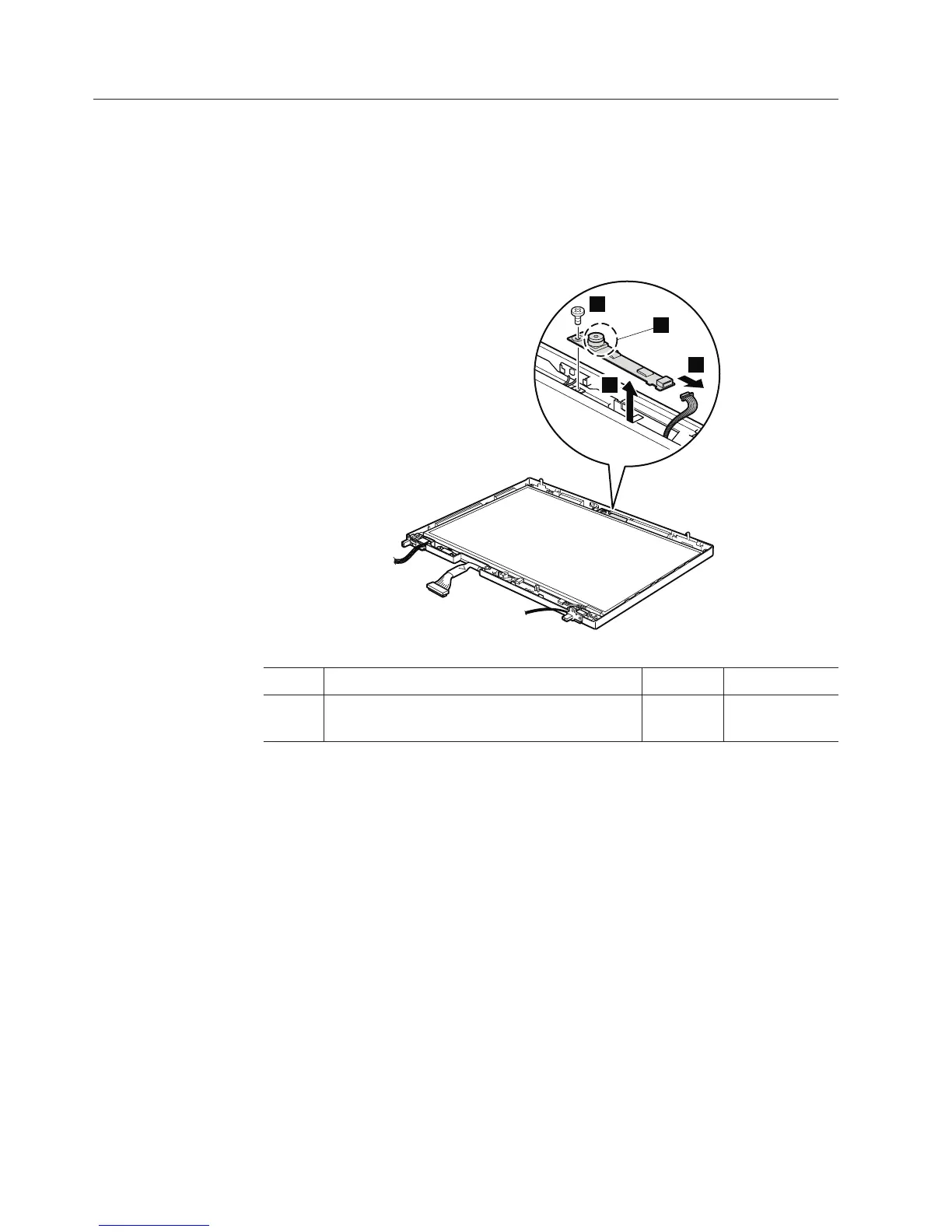
2040 Integrated camera
For access, remove these FRUs, in order:
v “1010 Battery pack” on page 84
v “2010 LCD front bezel” on page 127
Table 28. Removal steps of Integrated camera
Note: The part marked a is fragile and might be damaged by rough handling.
When you remove the camera, do not hold that part to avoid the damage.
1
2
3
a
Step Screw (quantity) Color Torque
1 M2 × 2.8 mm, flat-head, nylon-coated (1) Silver 0.167 Nm
(1.7 kgfcm)
When installing: Make sure that connector is attached firmly.
130 ThinkPad R500 Hardware Maintenance Manual



 To Next Page