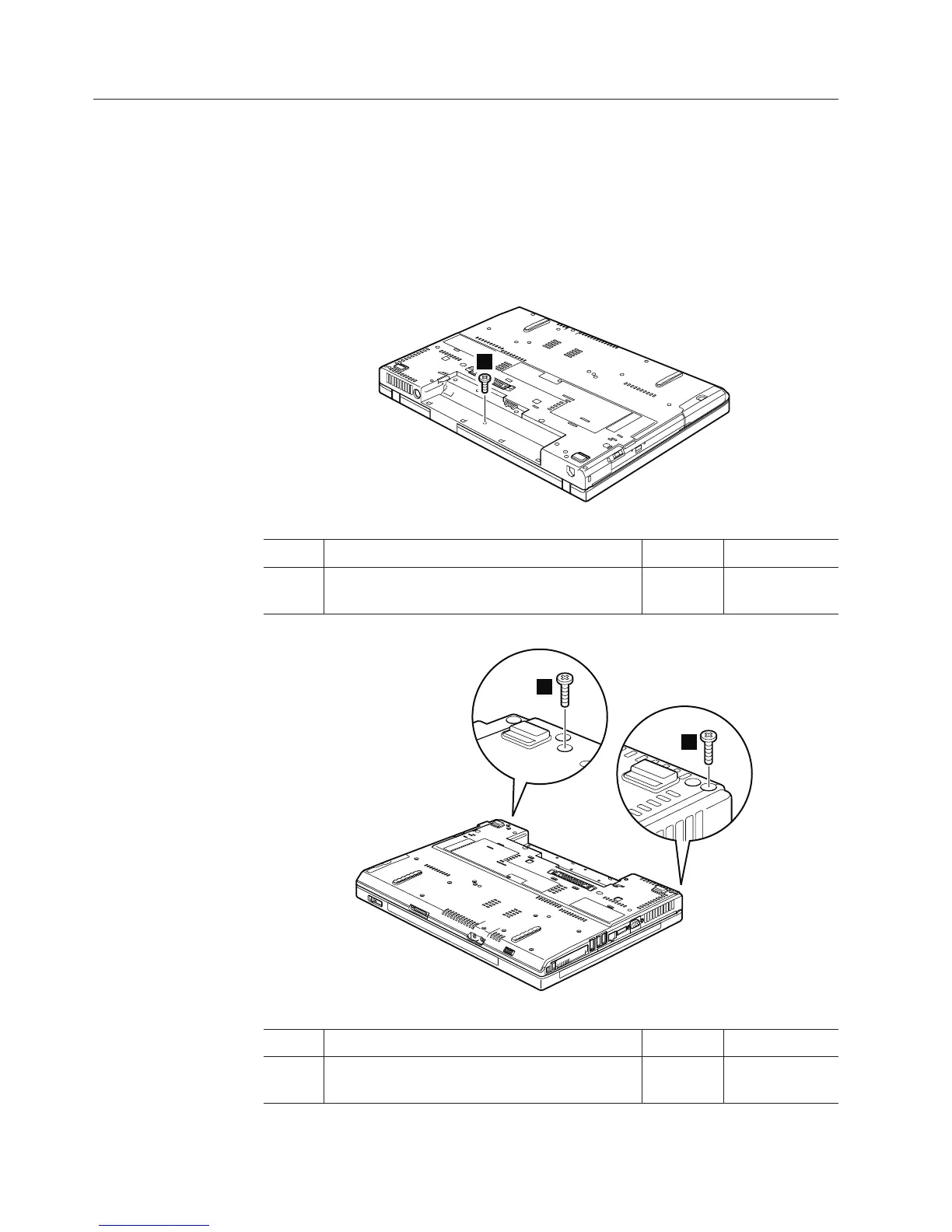
1100 Keyboard bezel and speakers
For access, remove these FRUs, in order:
v “1010 Battery pack” on page 84
v “1040 Palm rest or palm rest with fingerprint reader” on page 88
v “1060 Keyboard” on page 92
Table 18. Removal steps of keyboard bezel and speakers
Note: Speakers are attached to the underside of the keyboard bezel.
1
Step Screw (quantity) Color Torque
1 M2 × 3 mm, flat-head, nylon-coated (1) Silver 0.167 Nm
(1.7 kgfcm)
2
2
Step Screw (quantity) Color Torque
2 M2 × 17 mm, flat-head, nylon-coated (2) Black 0.167 Nm
(1.7 kgfcm)
100 ThinkPad R500 Hardware Maintenance Manual



 To Next Page