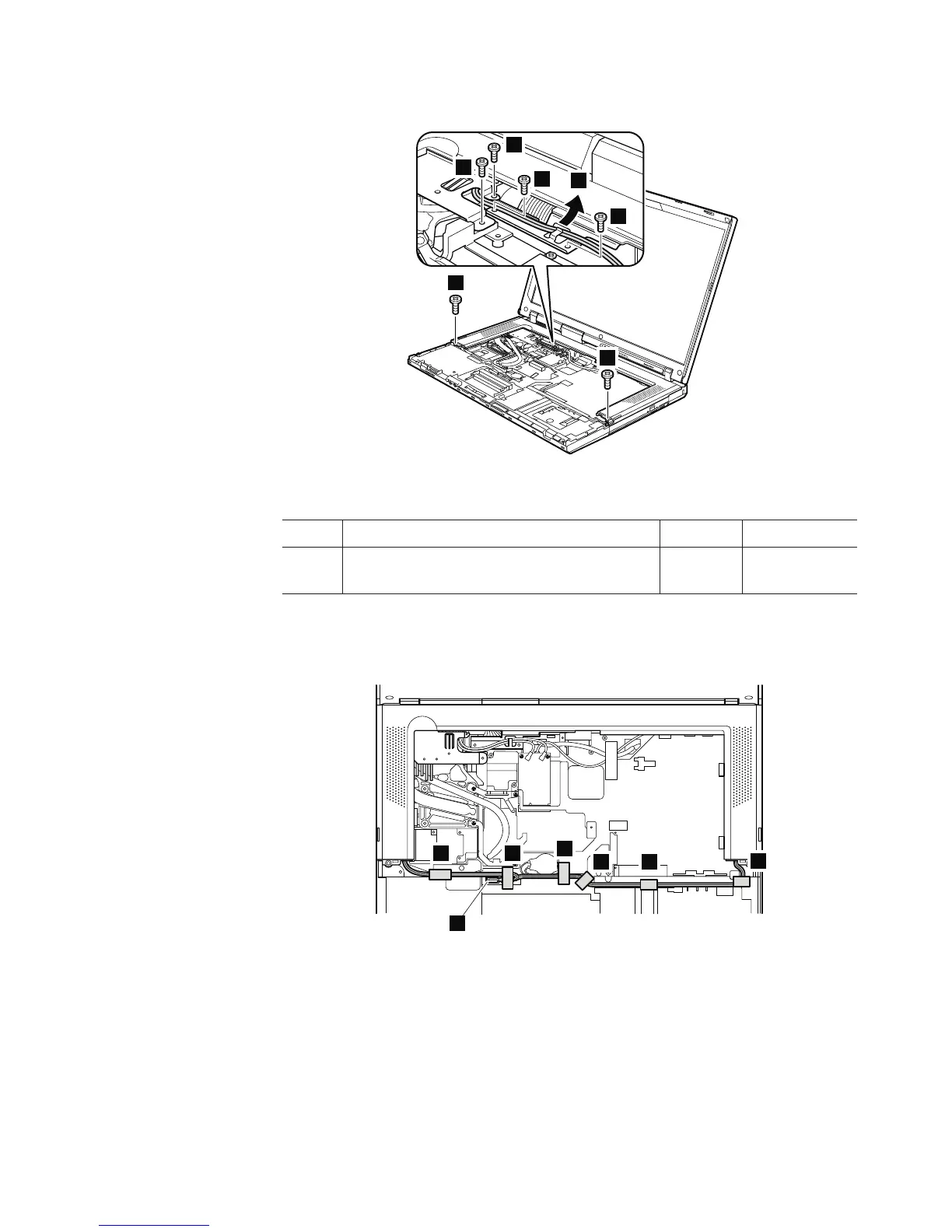
Table 18. Removal steps of keyboard bezel and speakers (continued)
4
4
4
3
4
4
4
In step 3, release the wireless antenna cables from the cable guide.
Step Screw (quantity) Color Torque
4 M2 × 3 mm, flat-head, nylon-coated (6) Silver 0.167 Nm
(1.7 kgfcm)
In step 5, strip the securing tapes off. Then detach the speaker connector 6.
5
5
5 5
5
6
5
When installing: Make sure that speaker connector is attached firmly.
Removing and replacing a FRU 101



 To Next Page