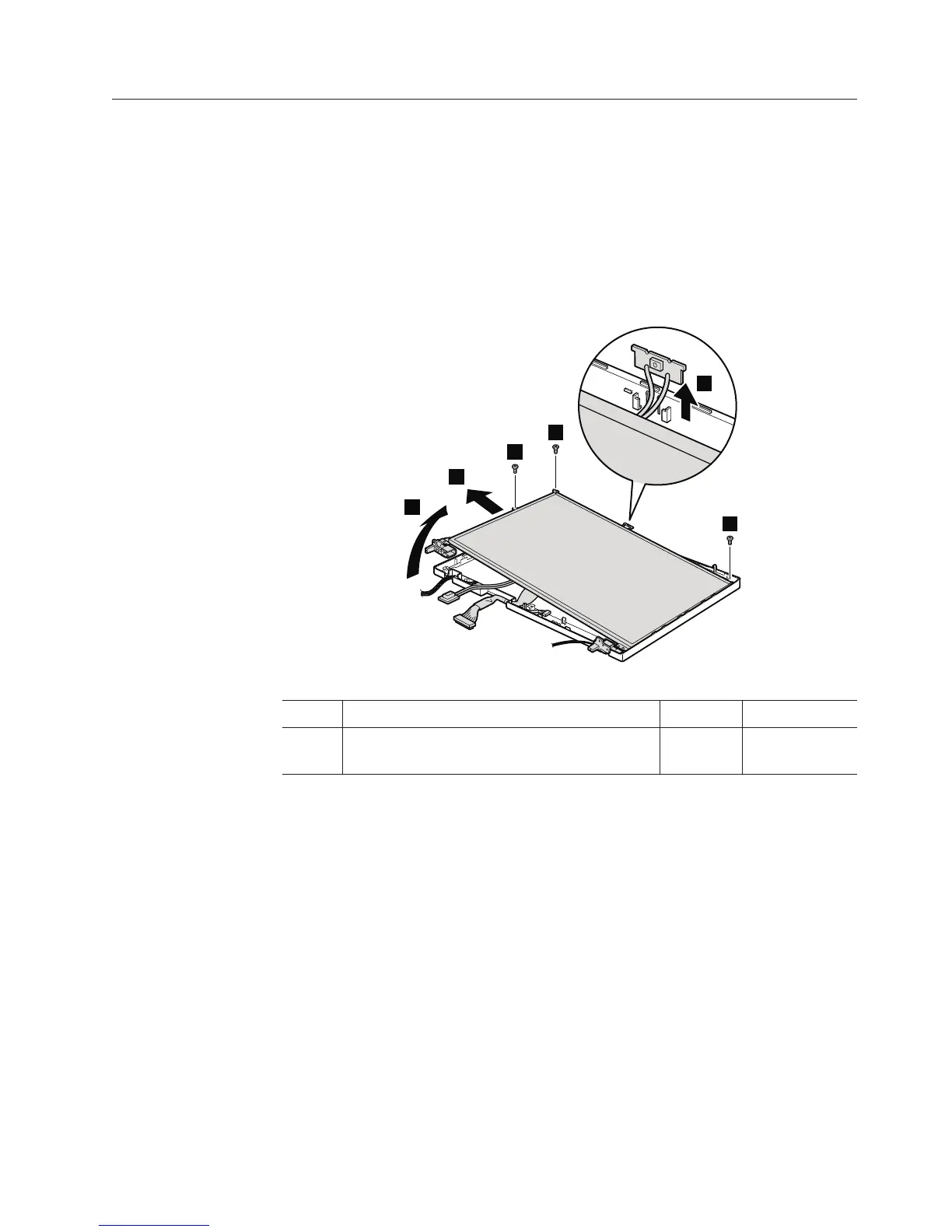
2050 LCD panel, LCD cable, hinges, and ALPET sheets
For access, remove these FRUs, in order:
v “1010 Battery pack” on page 84
v “1040 Palm rest or palm rest with fingerprint reader” on page 88
v “1060 Keyboard” on page 92
v “1070 PCI Express Mini Card for wireless LAN” on page 94
v “1100 Keyboard bezel and speakers” on page 100
v “1130 LCD assembly” on page 108
v “2010 LCD front bezel” on page 127
Table 29. Removal steps of LCD panel, LCD cable, hinges, and ALPET sheets
1
1
1
2
3
4
Step Screw (quantity) Color Torque
1 M2.5 × 4 mm, flat-head, nylon-coated (3) Silver 0.167 Nm
(1.7 kgfcm)
Removing and replacing a FRU 131



 To Next Page