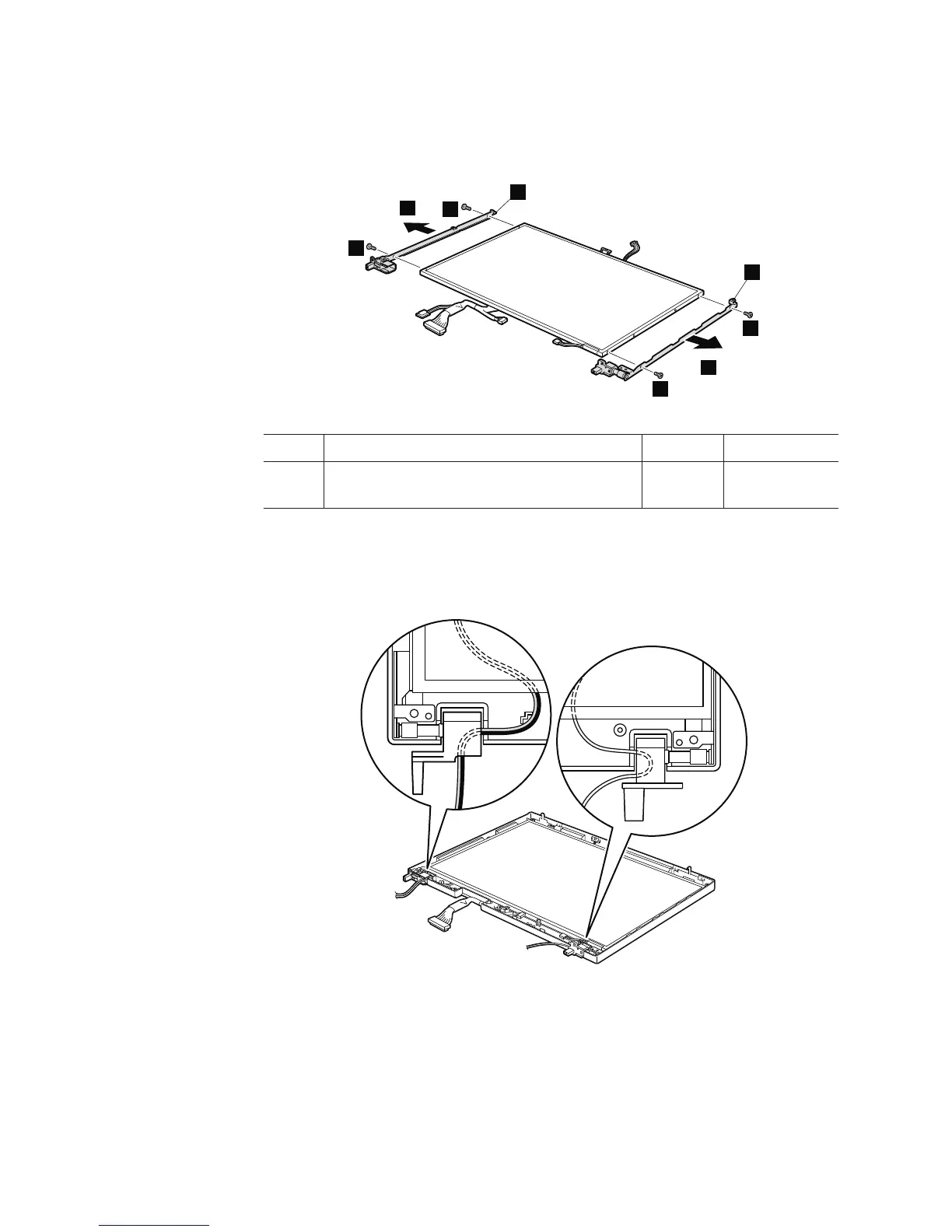
Table 29. Removal steps of LCD panel, LCD cable, hinges, and ALPET sheets (continued)
Remove the hinges a.
a
a
5
5
5
6
5
6
Step Screw (quantity) Color Torque
5 M2 × 2.8 mm, flat-head, nylon-coated (4) Silver 0.167 Nm
(1.7 kgfcm)
Cable routing: When you install the LCD panel, make sure that the antenna
cables are routed as shown in this figure.
132 ThinkPad R500 Hardware Maintenance Manual



 To Next Page