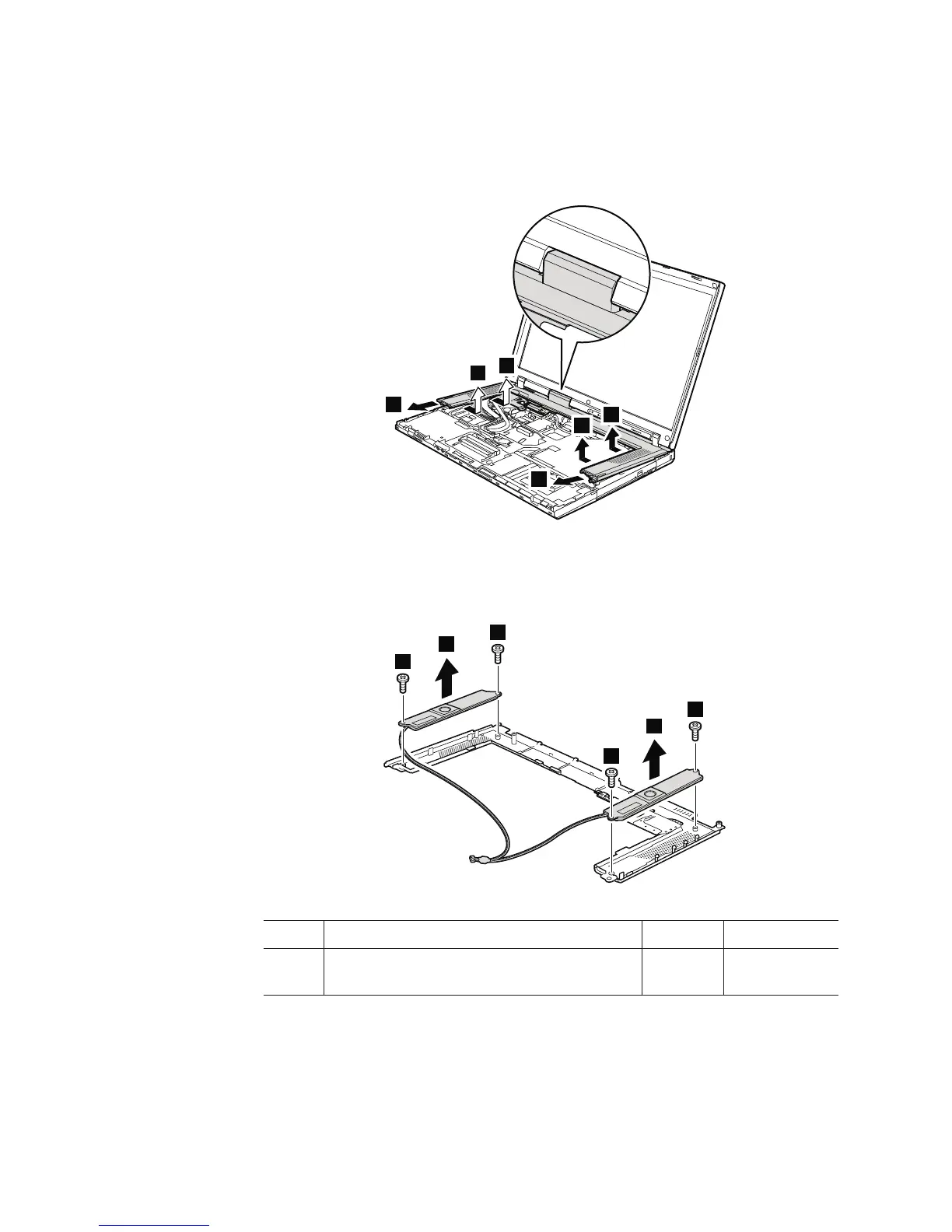
Table 18. Removal steps of keyboard bezel and speakers (continued)
In step 7, detach the claws. Then remove the keyboard bezel in the direction
shown by arrow 8.
7
7
7
7
8
8
When installing: Make sure that all the claws are attached firmly.
9
9
9
9
10
10
Step Screw (quantity) Color Torque
9 M2 × 3 mm, flat-head, nylon-coated (4) Silver 0.167 Nm
(1.7 kgfcm)
102 ThinkPad R500 Hardware Maintenance Manual



 To Next Page