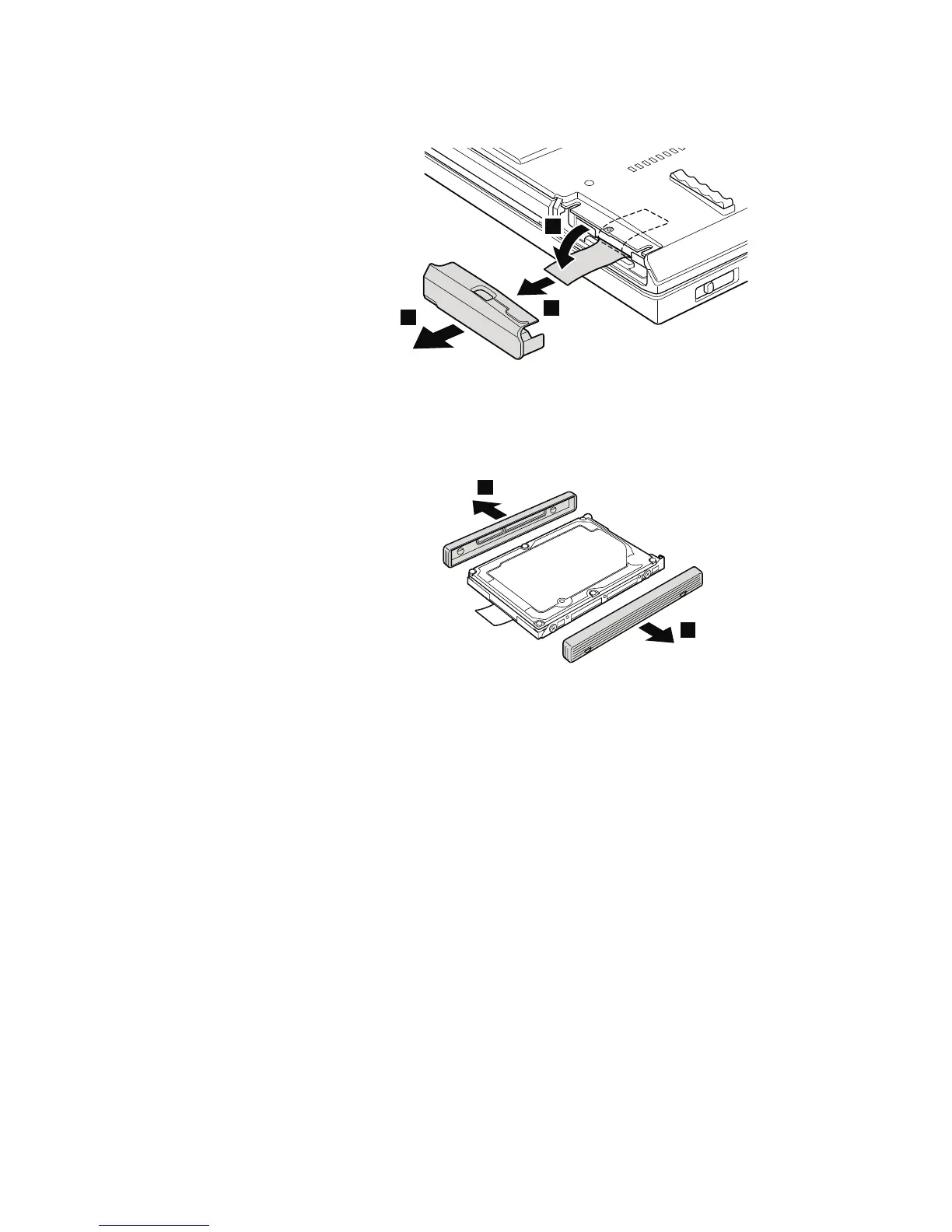
Table 11. Removal steps of hard disk drive cover, hard disk drive, and hard disk rubber
rails (continued)
3
4
5
When installing: Make sure that the hard disk drive connector is attached
firmly.
6
6
When installing: The rubber rails on the hard disk drive must be attached to
the replacement drive. Otherwise the drive cannot be installed properly.
Removing and replacing a FRU 87



 To Next Page