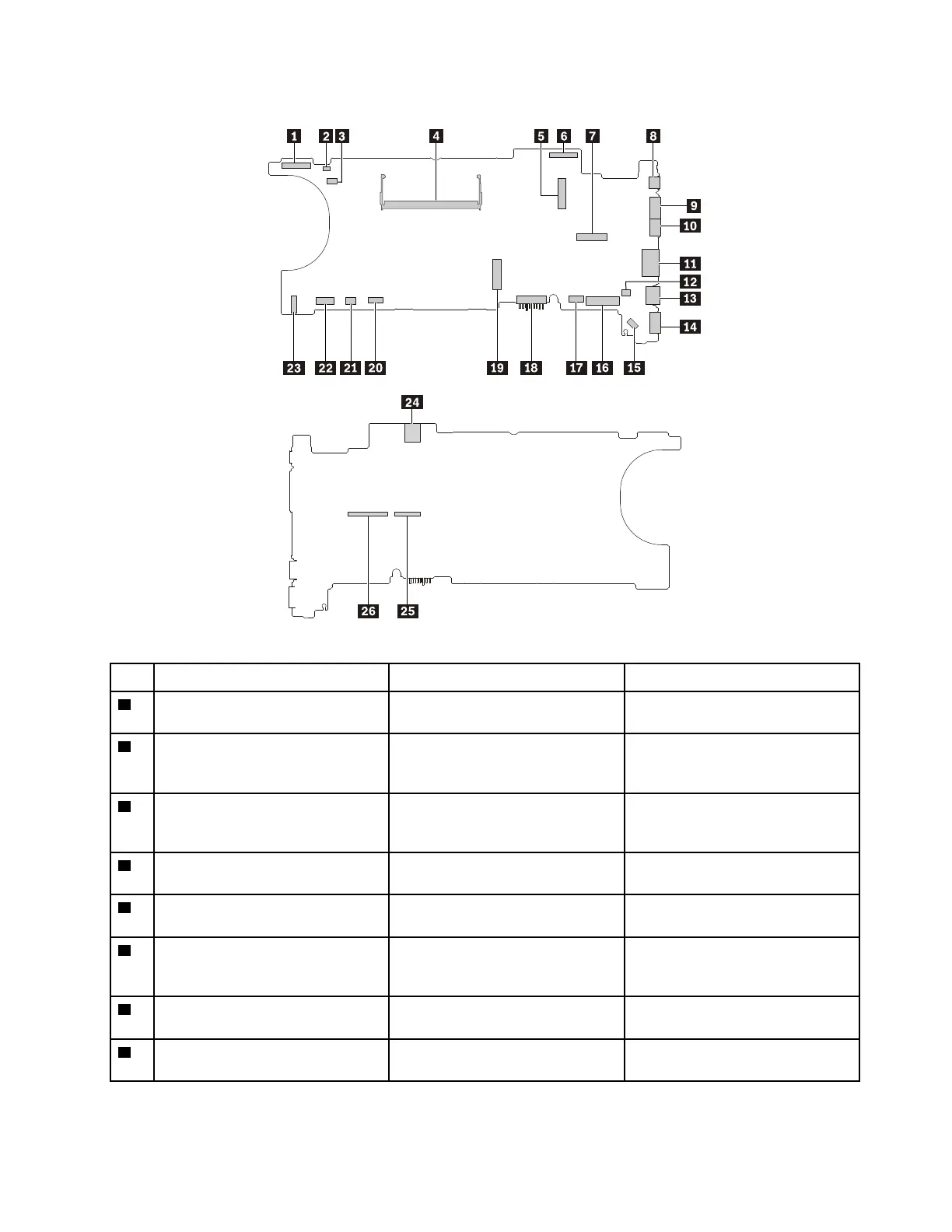
System board connectors and cables
Table 10. System board
No.
Connector/feature
Internal cable required
Cable connection
1
Camera connector (internal) LED/camera cable Connect the cable to this
connector.
2
dc-in connector (internal)
dc-in cable
Connect one end to the power
button card and the other end to
this connector.
3
Thermal fan connector (internal) Thermal fan assembly cable The thermal fan assembly comes
with the cable. Connect the cable
to this connector.
4
Memory module slot (internal)
No Insert the memory module into this
slot.
5
Wireless-LAN card slot (internal)
No Insert the wireless-LAN card into
this slot.
6
LCD connector (internal) LCD cable Connect one end to the LCD panel,
and the other end to this
connector.
7
Wireless-WAN card slot (internal) No Insert the wireless-WAN card into
this slot.
8
USB-C connector (external)
No
Connect USB-C compatible
devices to this connector.
Chapter 6. Locations 53



 To Next Page