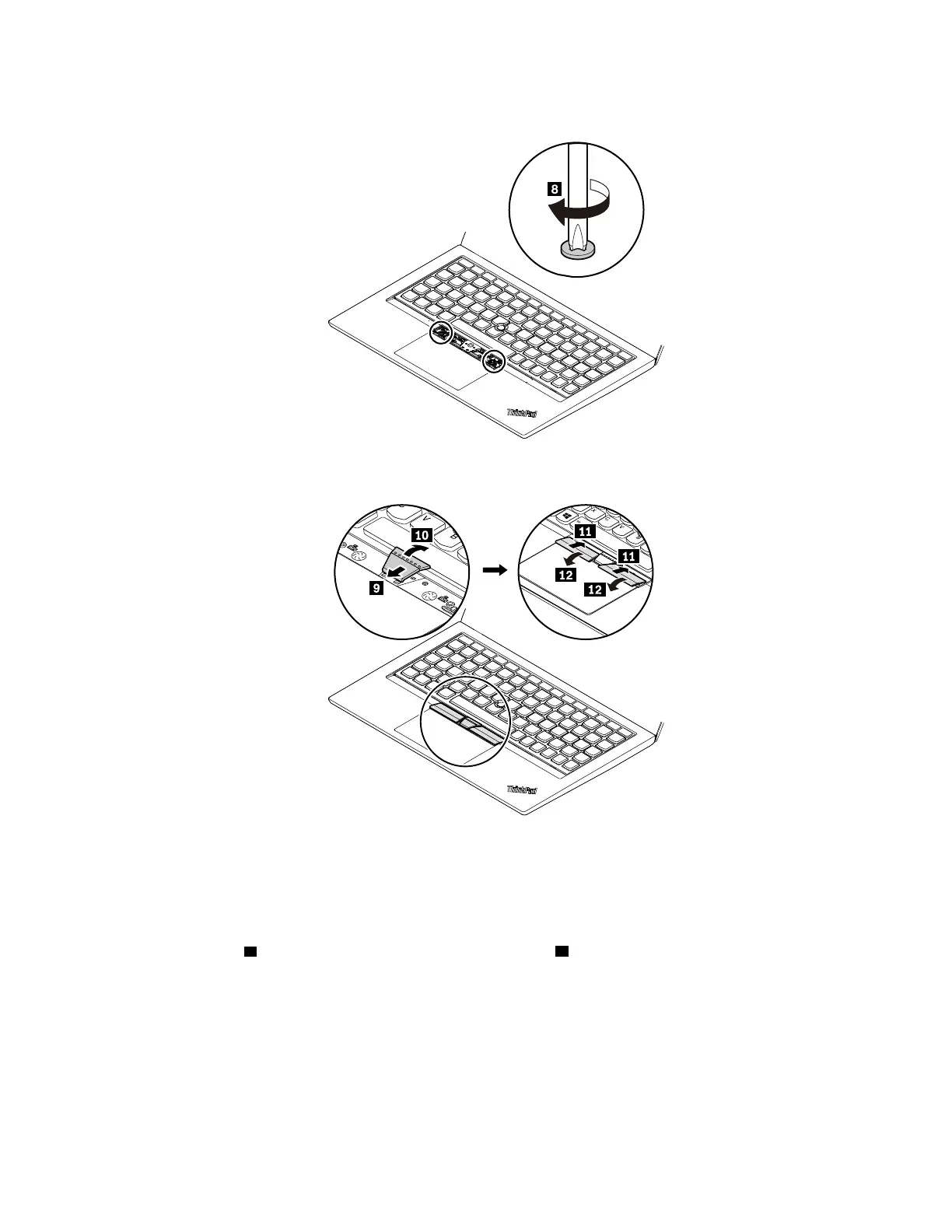
4. Tighten the screws to secure the keyboard.
5. Take the new TrackPoint buttons out of the new keyboard package. Install the TrackPoint buttons as
shown.
6. Connect the ac power adapter and all cables to the computer.
1020 Base cover assembly
Removal steps of the base cover assembly
Loosen the screws
1 and then remove the base cover assembly 2 .
Chapter 8. Removing or replacing a FRU 67



 To Next Page