Chapter 6. Locations
This chapter introduces the locations of the hardware components on your computer.
Locating computer controls, connectors, and indicators
This topic introduces the locations of the computer controls, connectors, and indicators.
Front view
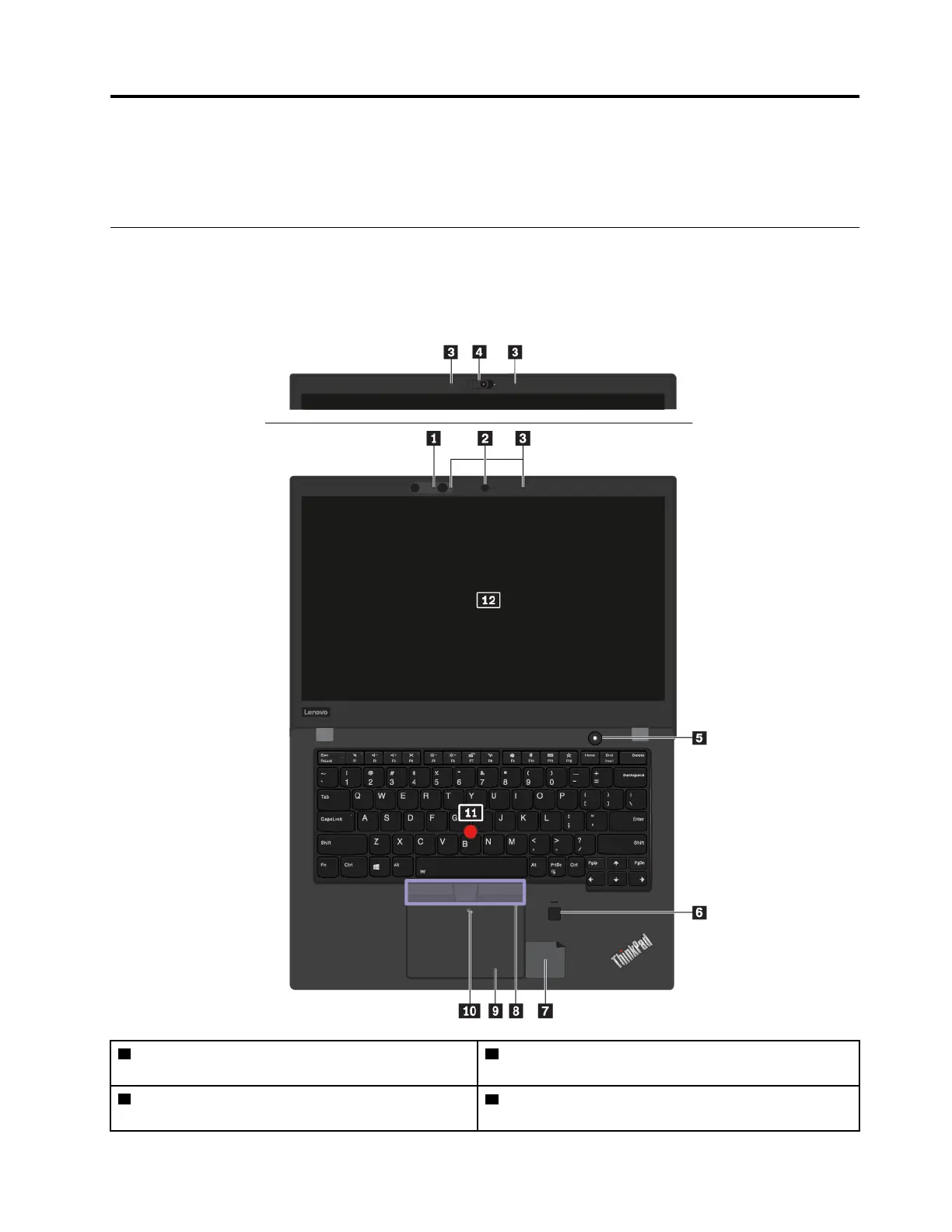
1 Infrared camera (available on some models) 2 Conventional camera (available on models with the
infrared camera)
3 Microphones
4 Conventional camera with ThinkShutter (lens cover)
(available on some models)
© Copyright Lenovo 2018 43



 To Next Page