Removing an LCD FRU
This section provides instructions on how to remove an LCD FRU.
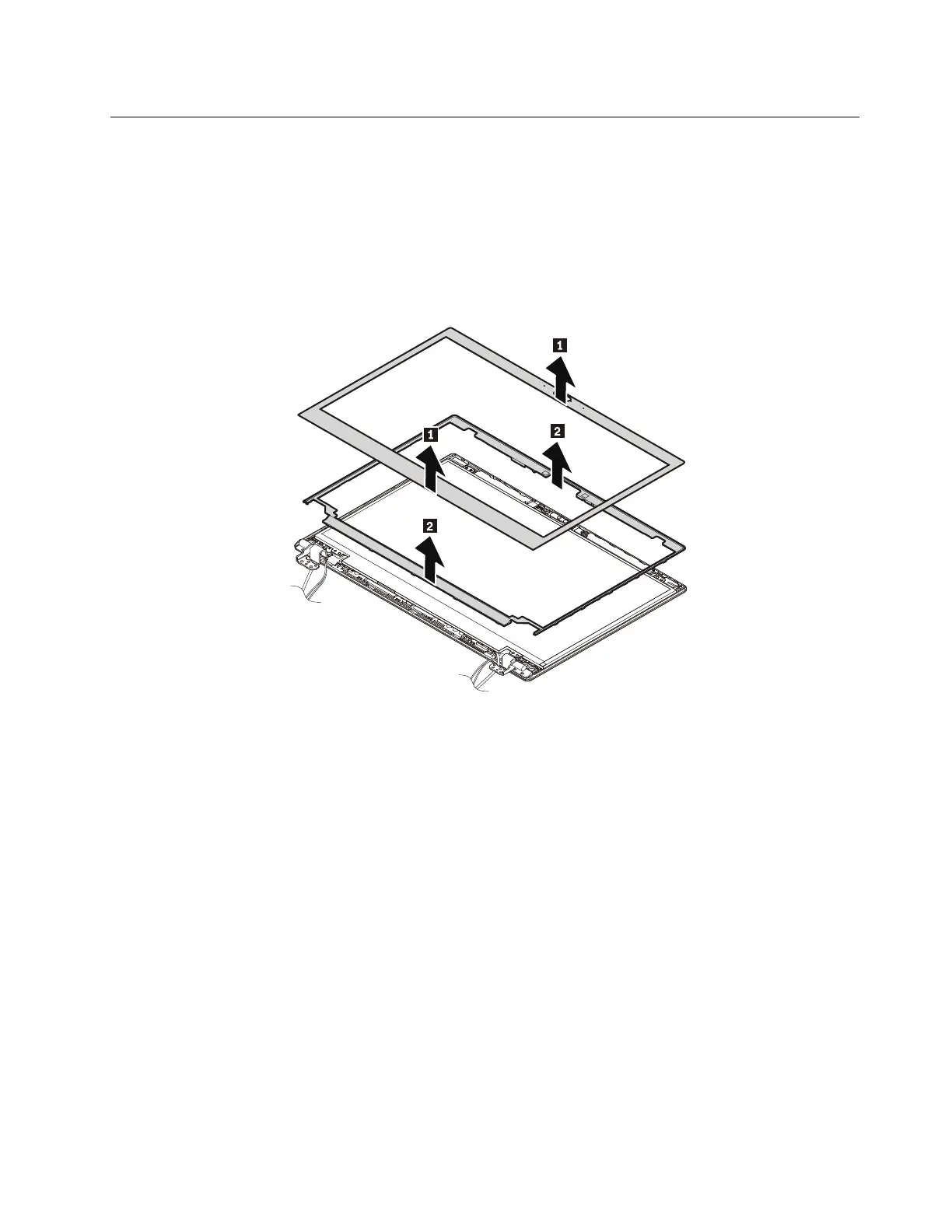
2010 LCD bezel cover and LCD bezel
For access, remove these FRUs in order:
• “1020 Base cover assembly” on page 67
• “1210 LCD unit” on page 89
Removal steps of the LCD bezel cover and LCD bezel
When installing:
• Ensure that all the latches are attached firmly.
• Ensure that a new LCD bezel is used. Install a new LCD bezel whenever the old one is removed.
2020 LCD panel and LCD cable assembly
For access, remove these FRUs in order:
• “1020 Base cover assembly” on page 67
• “1210 LCD unit” on page 89
• “2010 LCD bezel cover and LCD bezel” on page 93
Chapter 8. Removing or replacing a FRU 93



 To Next Page