8.2
Voices and effects
8.2.1
Selecting voices
The digital piano offers 20 voices in total (see
Ä
Chapter 10 ‘Voice list’ on page 33).
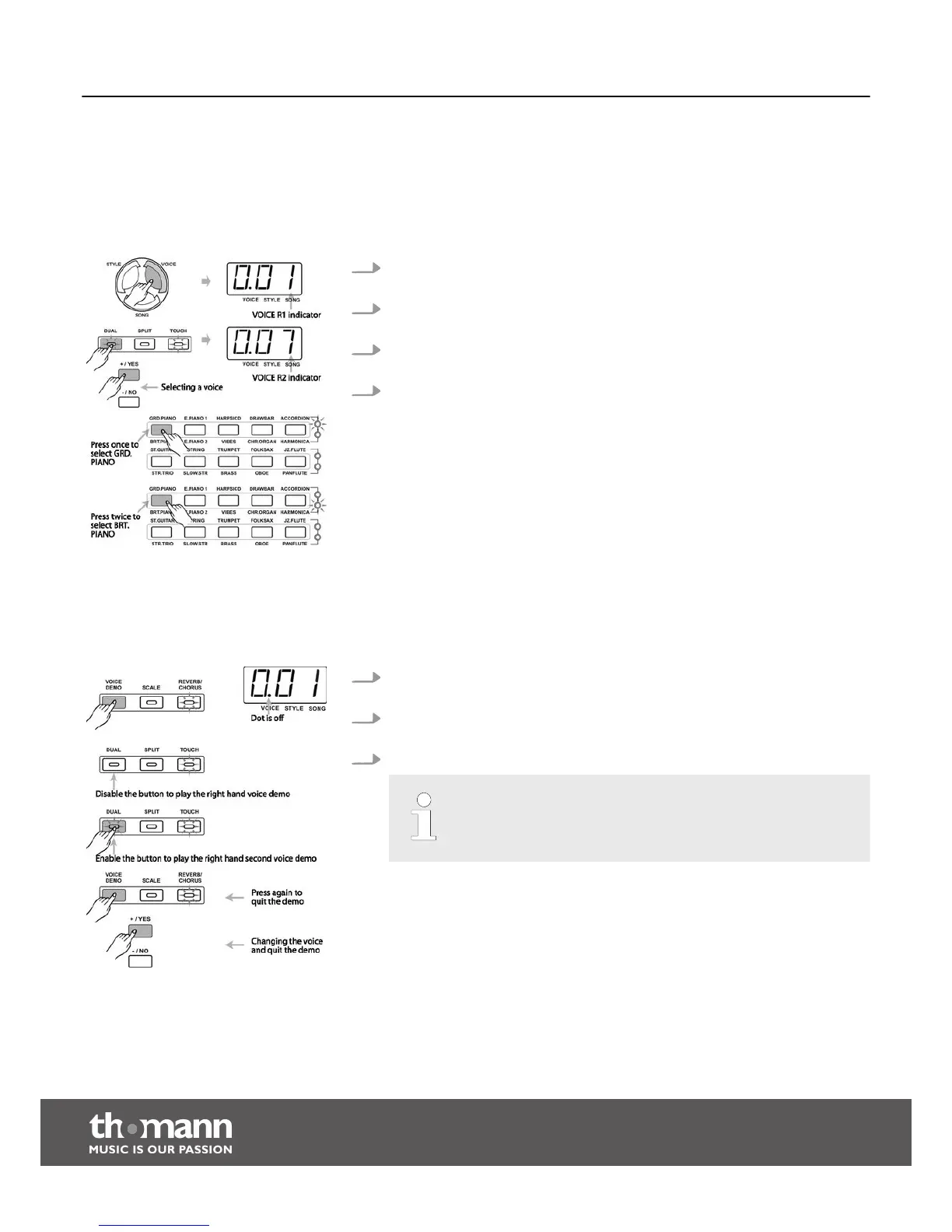
1. On power up the ‘VOICE’ indicator lights up in the display and the number
‘001’ is displayed.
2. Press the button [VOICE] to call the voice selection mode. The display shows
the number for the right hand voice (VOICE R1).
3. Press the button [DUAL] to call the dual mode. The display shows the number
for the second right hand voice in dual mode (VOICE R2).
4. Use the [+/YES] or [–/NO] button or the [VOICE] direct selection buttons to
select other voices.
Direct selection buttons
10 direct selection buttons are available to select the 20 voices. Press one of
these buttons once to activate the voice labelled above the button. Press the
button twice to activate the voice labelled below the button. Depending on
whether the upper or lower voice is selected, the indicator to the right of the
button lights up accordingly.
8.2.2
Demo songs
If you press the [VOICE DEMO] button a demo song for the respectively selected
instrument voice is played.
1. Press the [VOICE DEMO] button in VOICE R1 mode to play the demo song for
the right hand voice.
2. Press the [VOICE DEMO] button in dual mode to play the demo song for the
second right hand voice.
3. Press the [VOICE DEMO] button again to quit the demo song playback mode.
If you change the voice during playback of a demo track, this mode is
also cancelled.
Functions
digital piano
20



 To Next Page