8.4.2
Starting and stopping a style
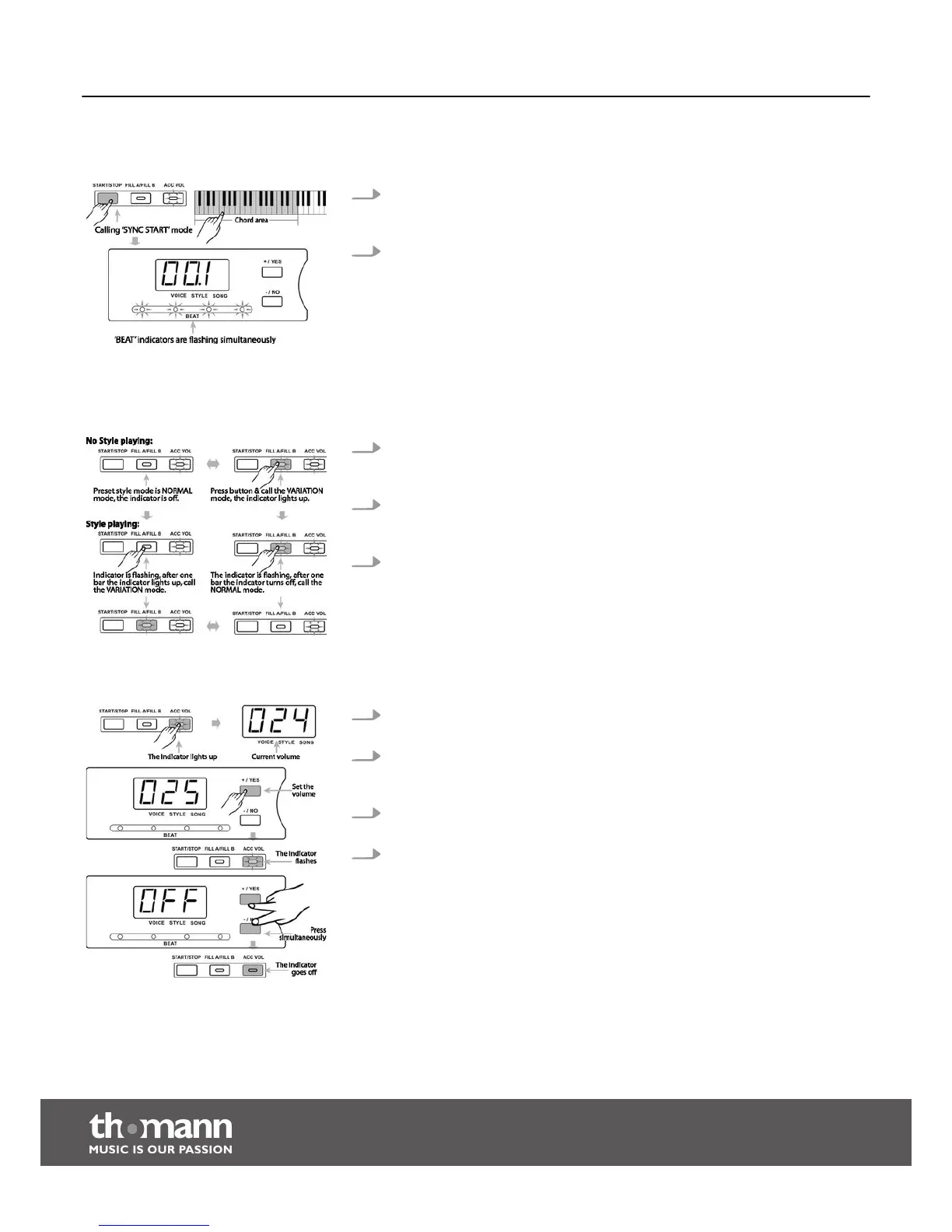
1. When style is not playing, you can press the [START/STOP] button to call the
SYNC START mode. The ‘BEAT’ indicators flash simultaneously. The style starts
now when you press a key in the chord area.
2. Press the buttons [+/YES] or [–/NO] again to stop style playing.
8.4.3
Fill A/B
Use this function to add fill bars.
1. In NORMAL mode, press the [FILL A/FILL B] button to insert one fill bar. The indi‐
cator of the button [FILL A/FILL B] is flashing. When the bar has ended the dig‐
ital piano returns to VARIATION mode.
2. In VARIATION mode, press the [FILL A/FILL B] button to insert one fill bar. The
indicator of the button [FILL A/FILL B] is flashing. When the bar has ended the
piano returns to NORMAL mode.
3. When switching on, the digital piano is set to NORMAL mode by default.
8.4.4
Accompaniment volume
1. Press the button [ACC VOL] to adjust the accompaniment volume in style
playing. The display briefly shows the current accompaniment volume.
2. Use the buttons [+/YES] or [–/NO] to set the volume in a range of 0 to 31. The
default value is 24. The indicator of the [ACC VOL] button flashes simultane‐
ously.
3. If you press the buttons [+/YES] and [–/NO] in ACC VOL mode simultaneously
the accompaniment track will be muted.
4. Press the buttons [+/YES] and [–/NO] in ACC VOL mode simultaneously again to
unmute the accompaniment track.
Functions
digital piano
26



 To Next Page