7
Switching on / off and basic operation
7.1
Switching the digital piano on
7.1.1
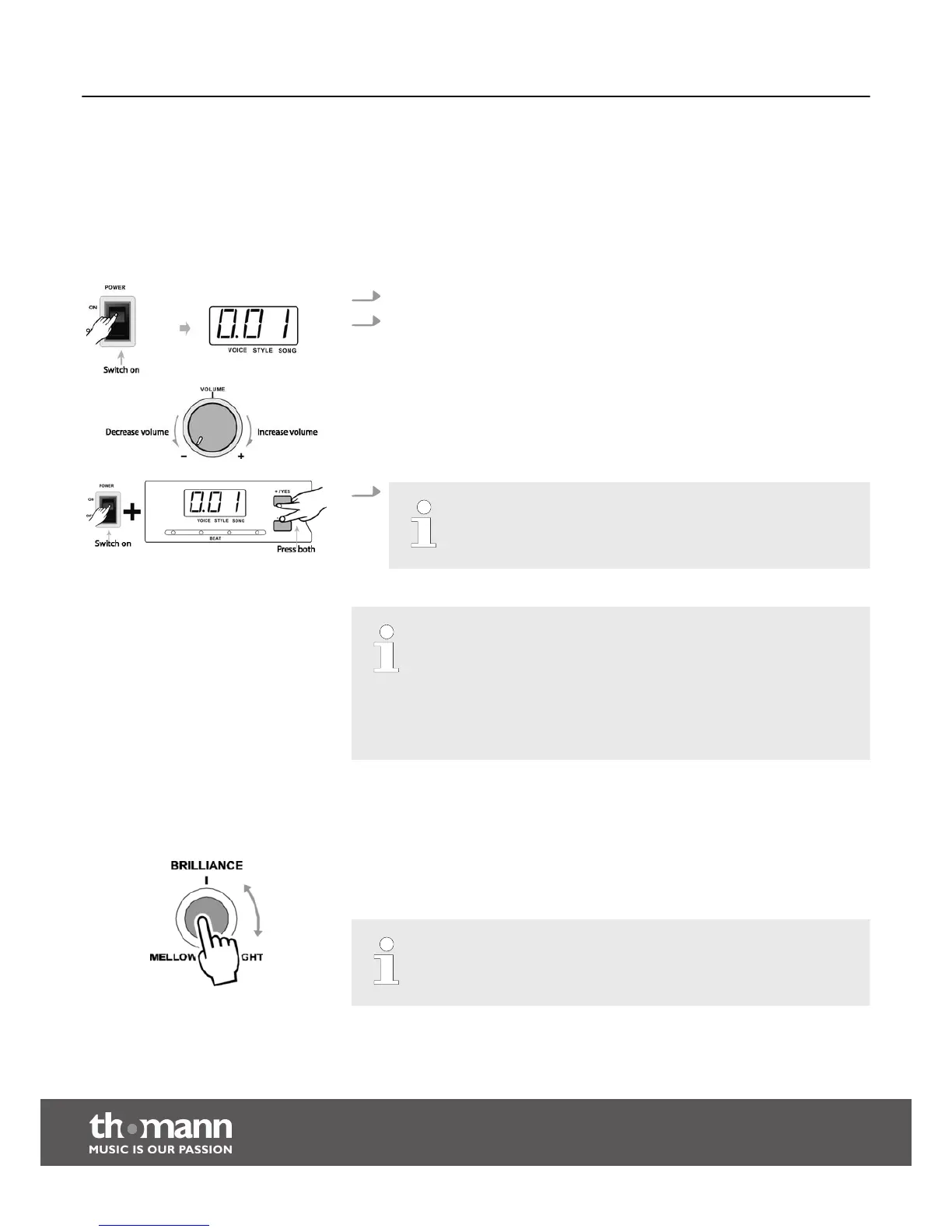
Switching on, volume control
1. Press the [POWER] switch to the ‘ON’ position. Das LED display lights up.
2. Turn the [VOLUME] control to adjust the desired volume.
3.
Keep both [+/YES] and [–/NO] buttons pressed while switching the
device on to reset all parameters to factory default values. This will
irretrievably erase all your settings.
– If the display does not light up after switching the digital piano on,
check the power supply.
– If you hear nothing from the speakers, the volume may be set to ‘min‐
imum’.
– Even if the digital piano is switched off using the [POWER] switch, it is
not disconnected from the mains power supply. This is achieved only if
you unplug the power cord.
7.1.2
Setting the brilliance
Use the rotary control [BRILLIANCE] to adjust the sonic brilliance of the digital piano.
Turn the knob clockwise for a brighter and more brilliant sound of the whole key
range. Turn it counter-clockwise for a more mellow and darker sound.
Adjusting the brilliance may lead to a slight volume change.
Switching on / off and basic operation
digital piano
18



 To Next Page