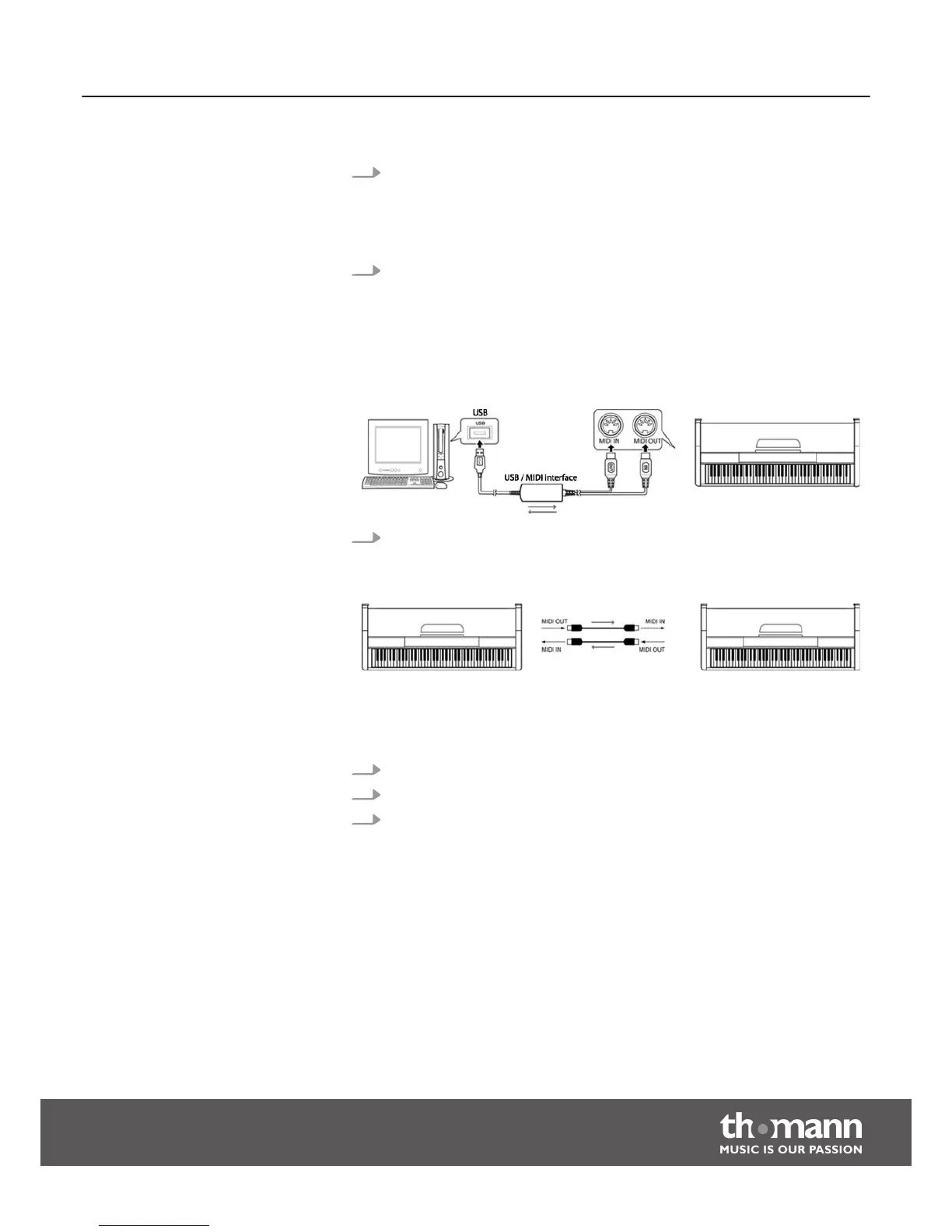
1. Notes on connection
With MIDI connections, the device that controls other devices is called 'master'.
A device that is controlled via MIDI is called 'slave'. The MIDI OUT of the master
is connected to the MIDI IN of the slave. You can not connect the MIDI OUT of a
device to the MIDI IN of the same unit.
2. MIDI IN
Here you can connect the MIDI OUT port of another device that, for example,
should use the tone generator of the digital piano.
MIDI OUT
Here you can connect the MIDI IN port of another device that you want to con‐
trol via the digital piano. If you play a note or send a program change com‐
mand, the connected device will respond accordingly.
3. Connection example
Connect the MIDI interface to the computer.
Connect further devices via the MIDI interface.
1. The digital piano can control other equipment or electronic instruments.
2. You can use other devices to control the digital piano.
3. The digital piano can play MIDI files from a computer.
MIDI connection
MIDI applications
Functions
DP-50
31



 To Next Page