1 SpeedTouch™ Installation
E-SIT-CTC-20030306-0003 v3.0
8
Alert condition LED
functionality
In addition to normal operation behavior, the Power/System LED may also indicate
following startup or error conditions:
(*) Power On Self Test (POST)
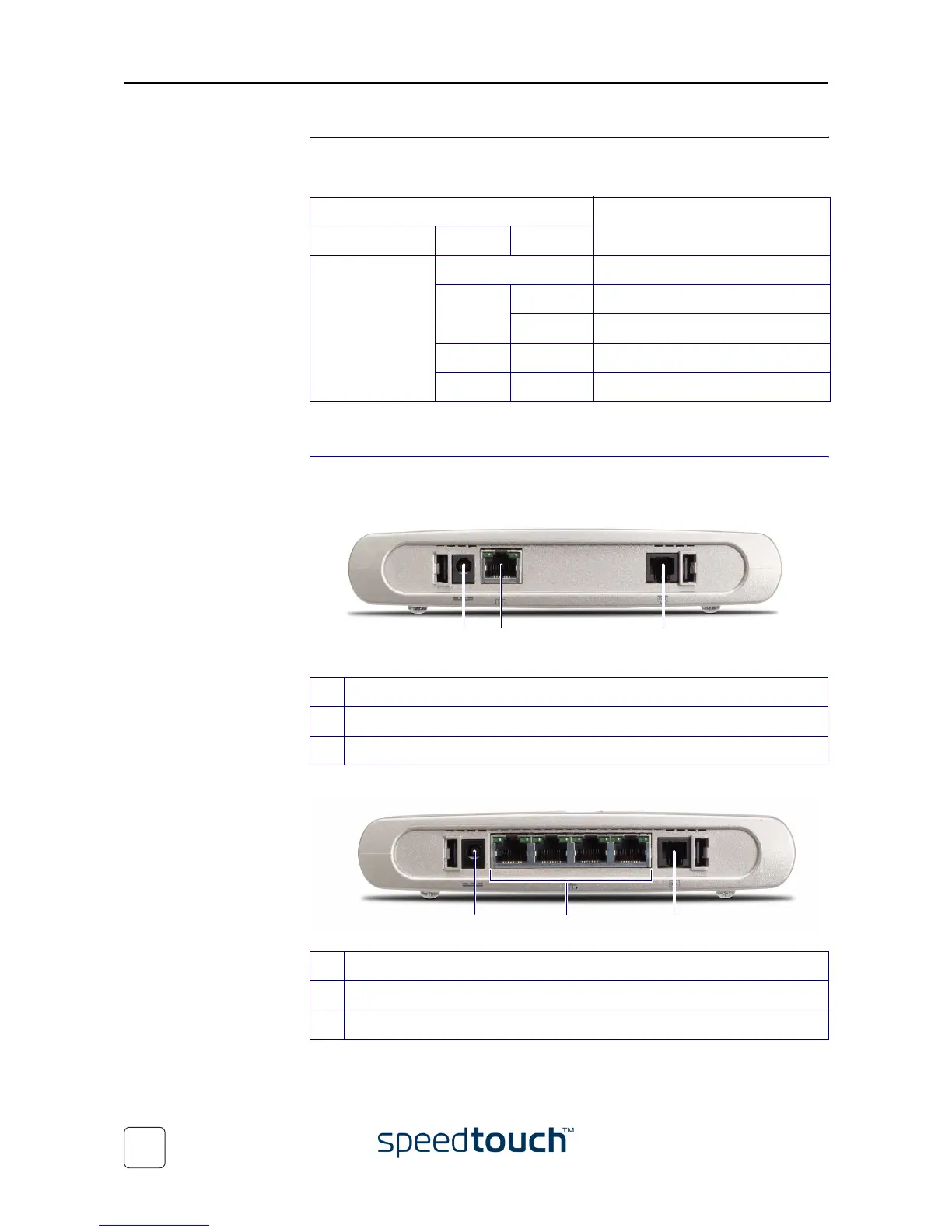
SpeedTouch™ back
panel layout
Depending on the variant you purchased, your SpeedTouch™ is equipped with:
•
A single 10/100Base-T Ethernet port:
• A four port 10/100Base-T Ethernet switch:
Indicator Description
Name Color Status
Power/System Off Power off
Amber Flashing Power on, BOOTP status
On Power on, POST(*) pending
Red On Power on, POST(*) failed
Green Flashing Power on, Back-to-Defaults status
A Power inlet
B 10/100Base-T Ethernet port
CDSL line port
A Power inlet
B 10/100Base-T Ethernet switch
CDSL line port
A B CC
A B C















 To Next Page