5 SpeedTouch™ Web Interface
E-DOC-CTC-20030814-0001 v1.0
62
Under Properties, you are able to select:
• DHCP server
Enables the SpeedTouch™ DHCP server. If it was not running, it will
be enabled immediately.
• Auto DHCP
The SpeedTouch™ will not start its DHCP server immediately, but will
first probe the network for a possible concurrent DHCP server for
some period of time (set by Client timeout in seconds). In case
another DHCP server is found, the SpeedTouch™ DHCP server is not
started, and a DHCP client will be created on its Ethernet interface
instead. If no concurrent DHCP server is found, the SpeedTouch™
DHCP server is started.
• No DHCP
Disable the SpeedTouch™ DHCP server. If it was running, it will be
stopped immediately.
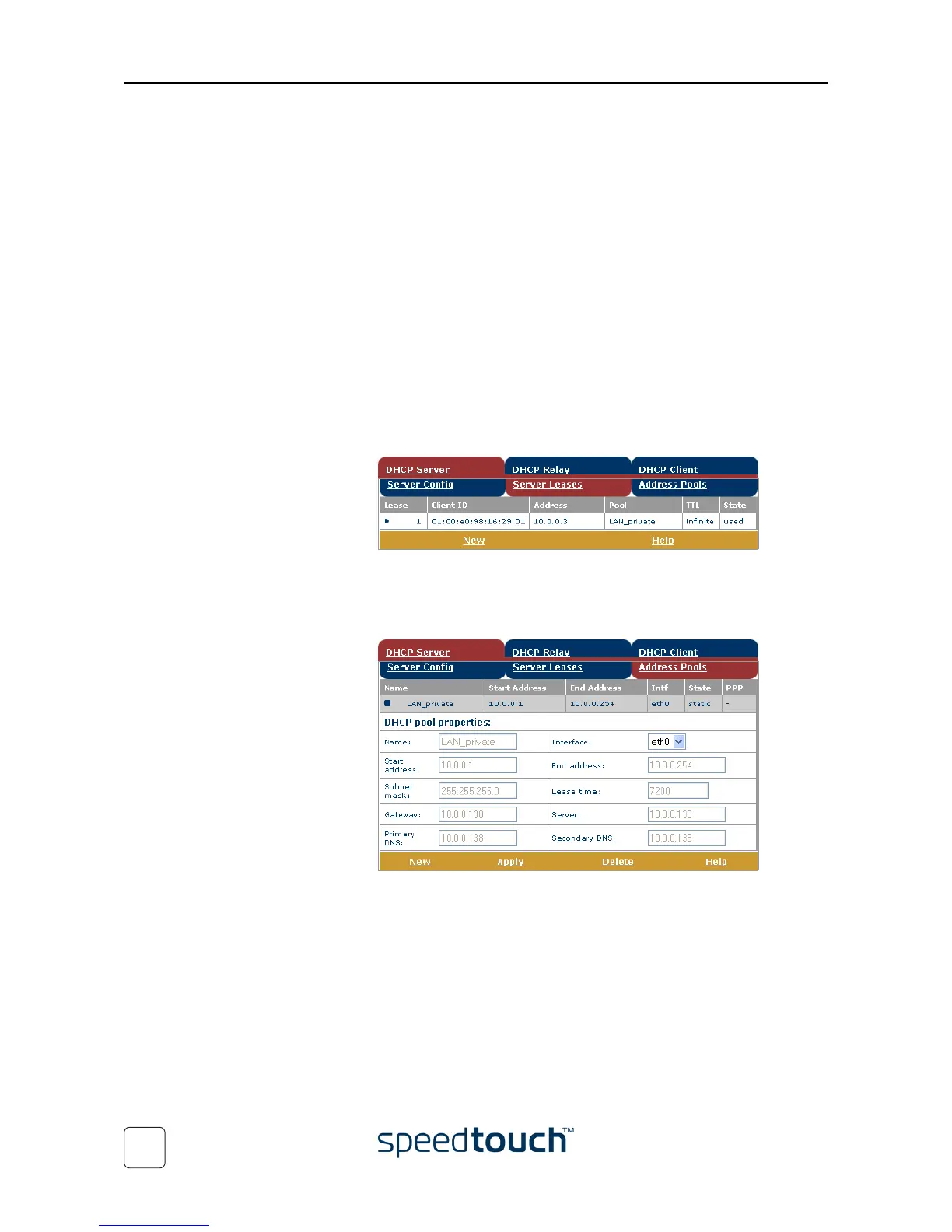
• Click the Server Leases tab to view the current leases provided by the Speed-
Touch™ DHCP server.
If needed, you can also manually add static DHCP leases for specific hosts.
To make dynamically assigned leases static, select the entry and click Lock.
• Click the Address Pools tab to view the SpeedTouch™ DHCP server lease
pool properties:
The SpeedTouch™ DHCP server (if enabled) will use the address pools
listed in this table to provide IP addresses to requesting DHCP clients. If
needed, you can add/delete DHCP address pools manually (e.g. for the
purpose of the DHCP relay functionality).















 To Next Page