5 SpeedTouch™ Web Interface
E-DOC-CTC-20030814-0001 v1.0
64
DNS Click this link to display the Dynamic Name System (DNS) page.
This page allows you to:
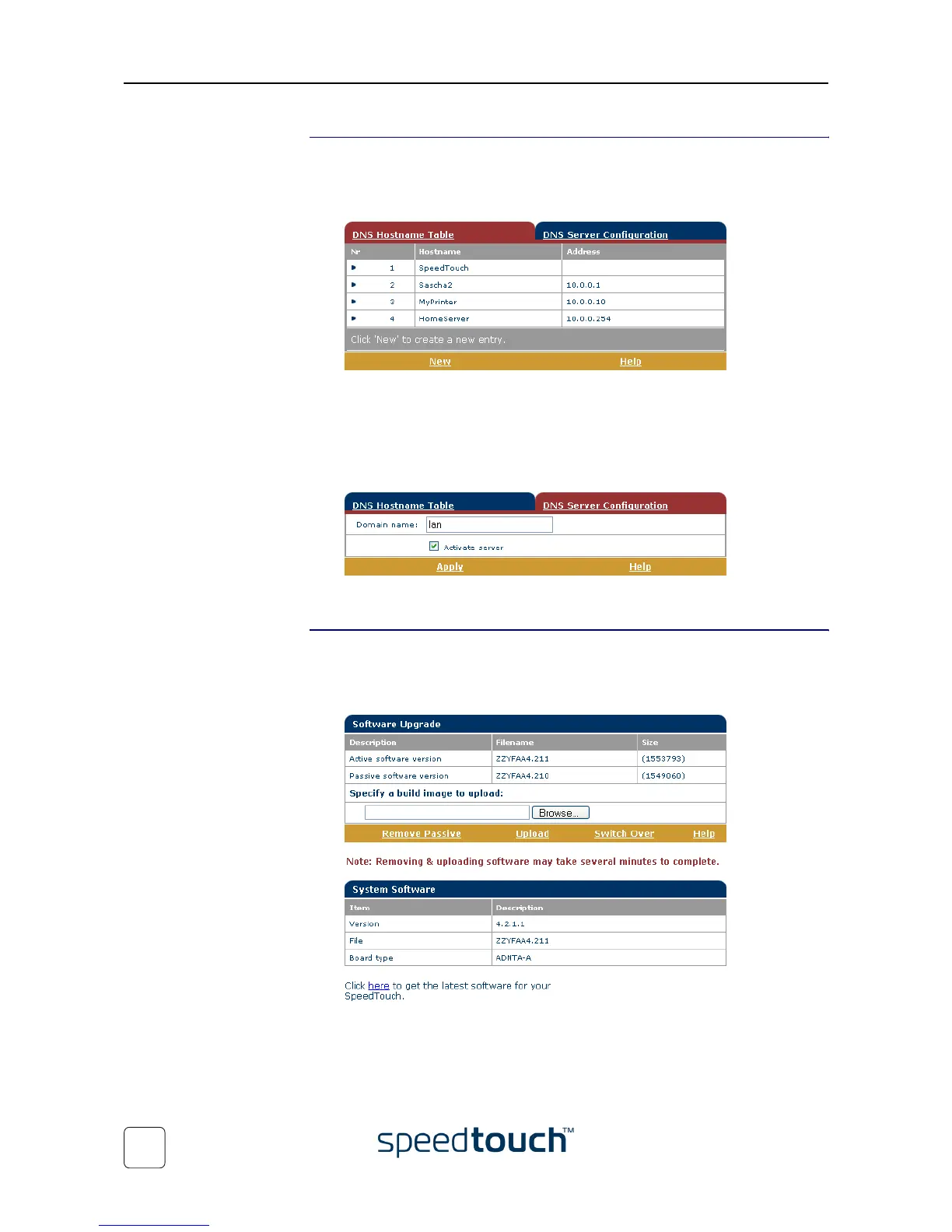
• View the current SpeedTouch™ DNS server hostname leases:
Via this table you can also add static DNS hostname entries.
This may be useful for devices which do not support DNS, e.g. a printer. By adding
a name for your network printer, identified by its IP address, you will be able to
contact this printer by name rather than by IP address.
• View and/or supply the SpeedTouch™ DNS domain name and to enable/disable
the SpeedTouch™ DNS server:
Note The use of DNS subdomains is supported, e.g. dsl.office.lan.
System
Click this link to display the Configuration page.
This page allows you to:
• Upgrade the SpeedTouch™ system software:
See “7.3 SpeedTouch™ System Software Upgrade” on page 77 for more informa-
tion on how to upgrade the SpeedTouch™ System Software.















 To Next Page