6 SpeedTouch™ NAPT Manager
E-DOC-CTC-20030814-0001 v1.0
69
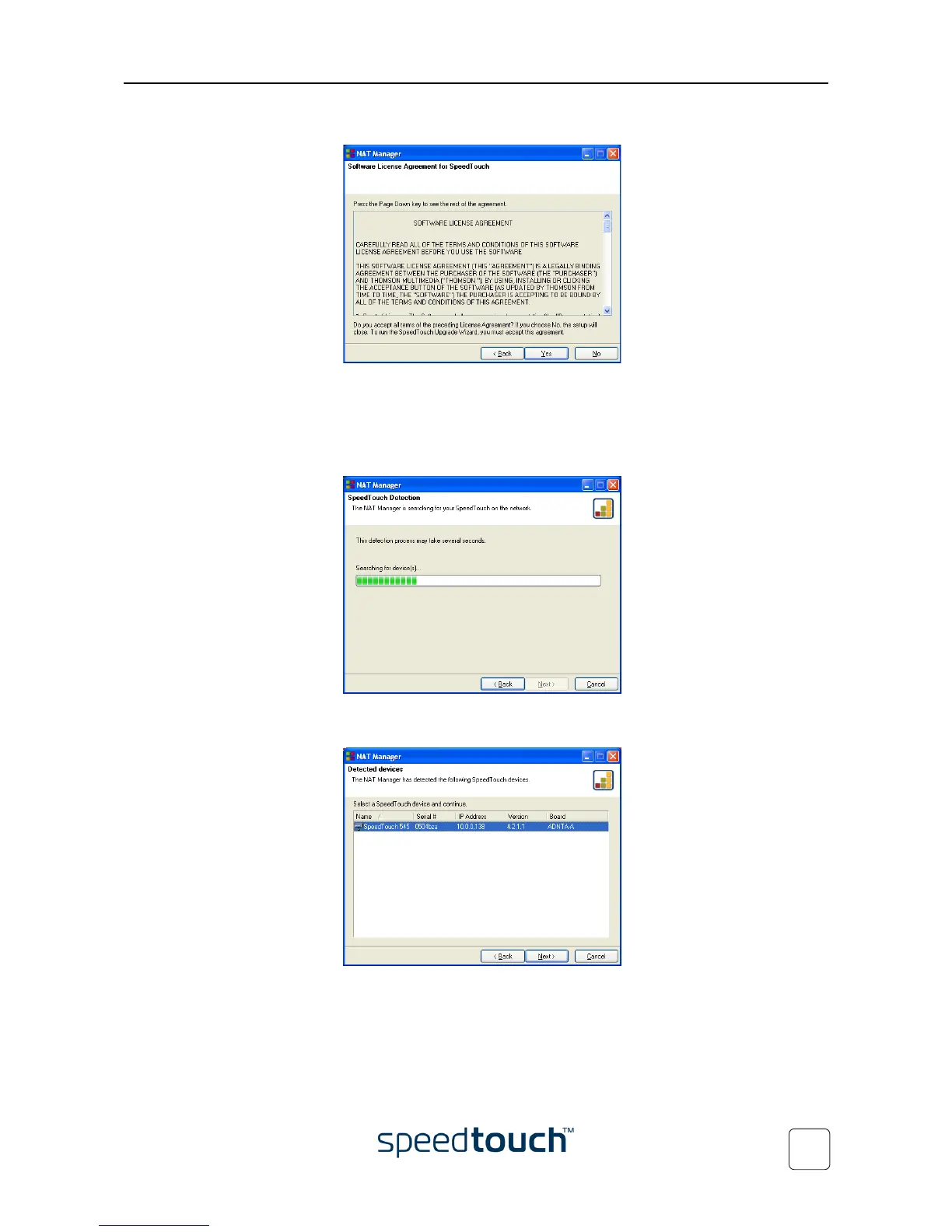
6 The Software License Agreement appears:
You must accept before continuing. Click Yes to accept.
Note If you accepted this Software License Agreement in a previous session
of NAPT Manager, this window will not be shown anymore.
7 NAPT Manager will search for the SpeedTouch™ on the network.
The following window shows the detection progress:
8 The NAPT manager should find your SpeedTouch™ device on the local network.
This is indicated by the following window:
If more than one device is found, a list of available devices will be provided. If this
is the case, select your SpeedTouch™ device (SpeedTouch™545 or Speed-
Touch™570) and click Next.















 To Next Page