6 SpeedTouch™ NAPT Manager
E-DOC-CTC-20030814-0001 v1.0
70
Note If the Setup wizard does not find any SpeedTouch™ on the network an
error window appears. In this case check that:
• The SpeedTouch™ is turned on and fully initialized.
• Your PC is correctly connected to the SpeedTouch™ or the
WLAN client is correctly associated with the SpeedTouch™
WLAN as described in “4.1 First-time Wireless Client Associa-
tion” on page 43.
• Your PC has a valid IP address (i.e. any IP address but 0.0.0.0).
• No dedicated firewall device or router is placed between your
PC and the SpeedTouch™.
• No personal firewall software is running on your PC.
• TCP/IP is correctly installed on your PC.
To repeat the search for the SpeedTouch™, click Back and proceed with
step 7 of this procedure.
Configuration of the
SpeedTouch™
Proceed as follows:
1 As soon as the NAPT Manager has detected your SpeedTouch™ device you can
proceed with the configuration procedure.
Note The SpeedTouch™ may be protected by a system password. You must
provide user name and system password to continue with the configu-
ration.
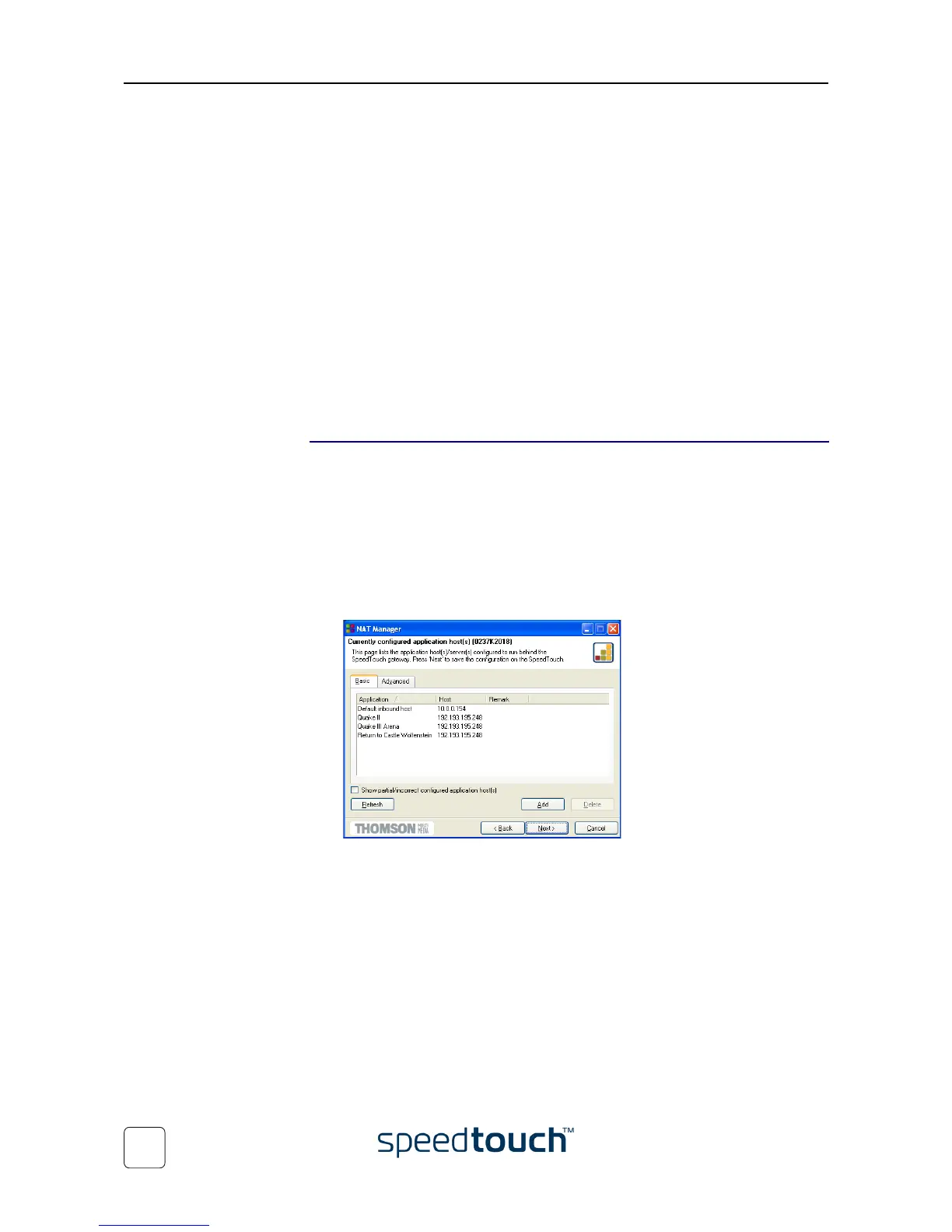
2 The following page lists the application hosts currently configured on the Speed-
Touch™:
Click Add to enter a new application host.















 To Next Page