1.9 Connecting components
ITC500 / page 25
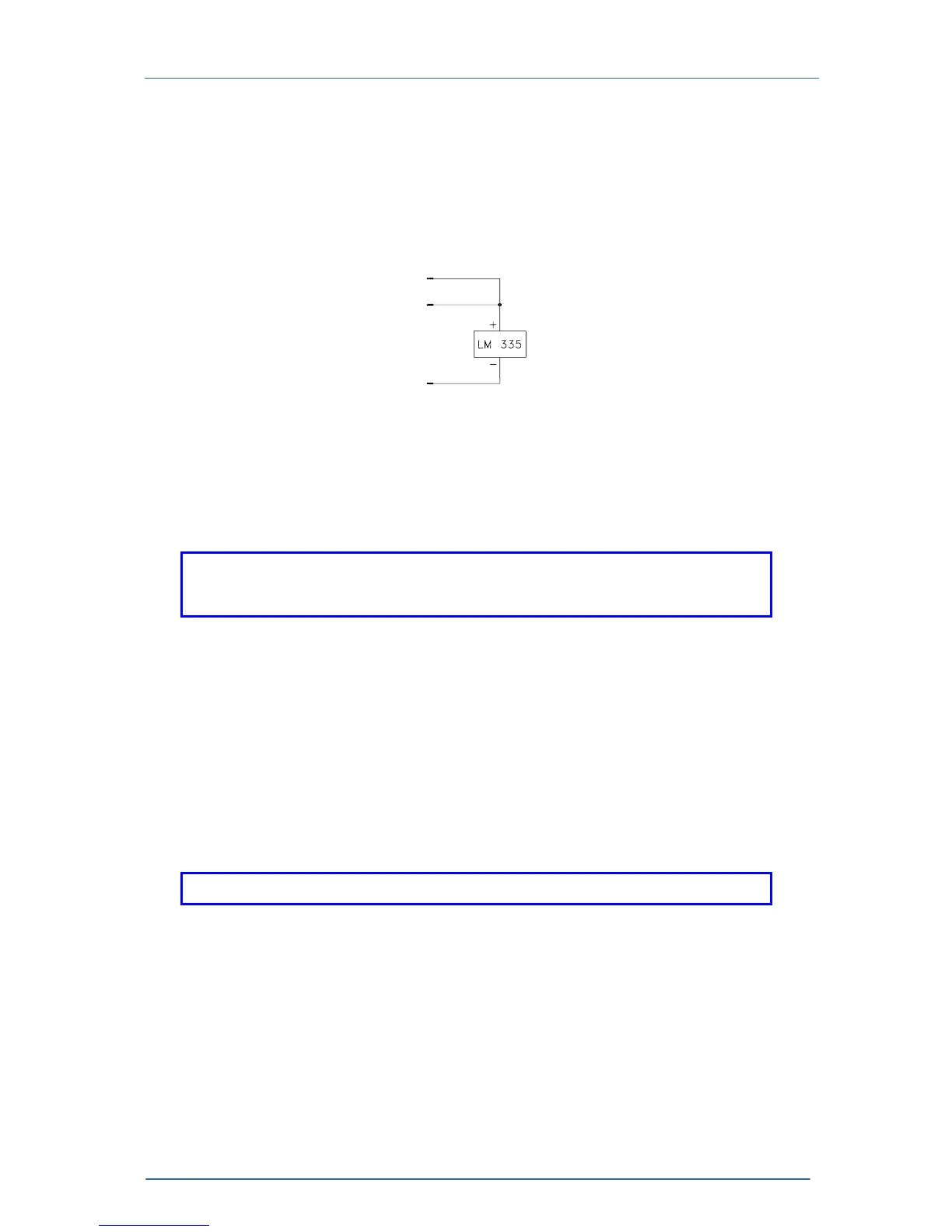
1.9.5 Connecting a temperature sensor LM135 or LM335
The IC-temperature sensor LM335 is set up between pin 8, 10 and 11. These
sensors will map the temperature into an equivalent voltage that can be displayed
and set directly in °C.
10
11
8
Figure 7 Connecting a LM135 or LM335
NOTE
When connecting a LM135 or LM335 you must select AD590 as
temperature sensor !
1.9.6 Connecting a TEC element
The plus pole of the TEC must be connected to the pins 5,6,7 – the minus pole to the
pins 13,14,15 of the jack.
NOTE
Always connect all three pins of the output jack!
If the voltage of the TEC element is to be measured and displayed as well, two
additional cables must be connected directly from the two poles of the TEC element
to pin 2 and 9 of the jack. (4-point measurement).
Pin 2 and pin 9 may also be left open but this will lead to a small measurement error.
The displayed voltage will always be slightly too high.















 To Next Page