
 Need help?
Do you have a question about the THORLABS KIM101 and is the answer not in the manual?
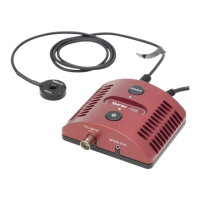
Describes the KIM101 controller's purpose, features, and compact footprint.
Details the available power supply for the KIM101 unit.
Explains the Kinesis software's role and architecture.
Explains the use of safety symbols (Warning, Caution, Note).
Provides warnings about improper use and high voltages.
Guides the user through downloading and installing Kinesis software.
Details environmental conditions and mounting options for the unit.
Covers connecting USB and power cables, and front panel connections.
Explains the rear panel connectors (EXTERNAL, USER IO, CH-A, CH-B, MOT).
Provides a step-by-step guide to connecting the controller, stage, and PC.
Explains the importance of selecting the correct stage type for proper operation.
Guides users on verifying Kinesis software installation and controller function.
Introduces standalone operation and controller capabilities.
Identifies and describes the function of front panel controls.
Explains how to use the joystick for motor control and movement.
Outlines how to navigate and use the device's settings menu.
Details different joystick modes like Jog to Count and Velocity Control.
Provides flowcharts for navigating the device's settings menu.
Explains how to zero the motor axis or all axes.
Describes setting the maximum velocity for a channel.
Explains how to set the step size for jog commands.
Details the different operating modes for the joystick.
Guides setting predefined positions for 'Jog to Count' mode.
Explains how to enable single axes or pairs of axes.
Describes adjusting the LCD display brightness.
Details setting the maximum piezo drive voltage.
Guides selecting the type of stage or actuator connected.
Explains using CH-A and CH-B connectors for external velocity control.
Details external input voltage control for different hardware revisions.
Introduces the tutorial for using Kinesis software.
Guides on interacting with hardware via Kinesis application.
Explains zeroing the motor position via the GUI panel.
Guides on moving the motor to a specified step count.
Describes adjusting velocity and acceleration settings.
Details jogging motor actuators using GUI panel step arrows.
Explains controlling two axes simultaneously for 2-axis mounts.
Warns about high current draw during simultaneous channel operation.
Introduces explanations of software parameters and settings.
Describes the Kinesis software's graphical user interface.
Explains the settings window for configuring parameters.
Details channel configuration options like pairing.
Covers display intensity and device control options like joystick mode.
Explains channel-specific settings for feedback and drive.
Details configuration for trigger inputs and outputs.
Identifies pins and functionality of the USER IO connector.
Recommends regular PAT testing for safety.
Provides instructions and cautions for cleaning the unit.
Lists technical specifications of the piezoelectric output, inputs, and general data.
Lists related Thorlabs products and their part numbers.
Explains the piezoelectric effect and actuator construction.
Discusses actuator hysteresis and feedback control modes.
States compliance with FCC rules for Class A digital devices.
Provides the EU Declaration of Conformity for LVD, EMC, and RoHS directives.
 General
| Brand | THORLABS |
|---|---|
| Model | KIM101 |
| Category | Controller |
| Language | English |













 To Next Page
