8
ThurayaIP Satellite Modem User Guide
S
TORED
GPS
L
OCATION
The most recent GPS location is stored in ThurayaIP even when powered
down. Upon power up, the ThurayaIP will attempt to update this GPS
location since the Thuraya system will only allow access if your GPS
location is not too old. If ThurayaIP has a valid GPS location then the
GPS icon on the display will go from flashing to solid. Likewise, the web
MMI will indicate if the currently available GPS location is valid or invalid.
Integrated Man Machine Interface (iMMI)
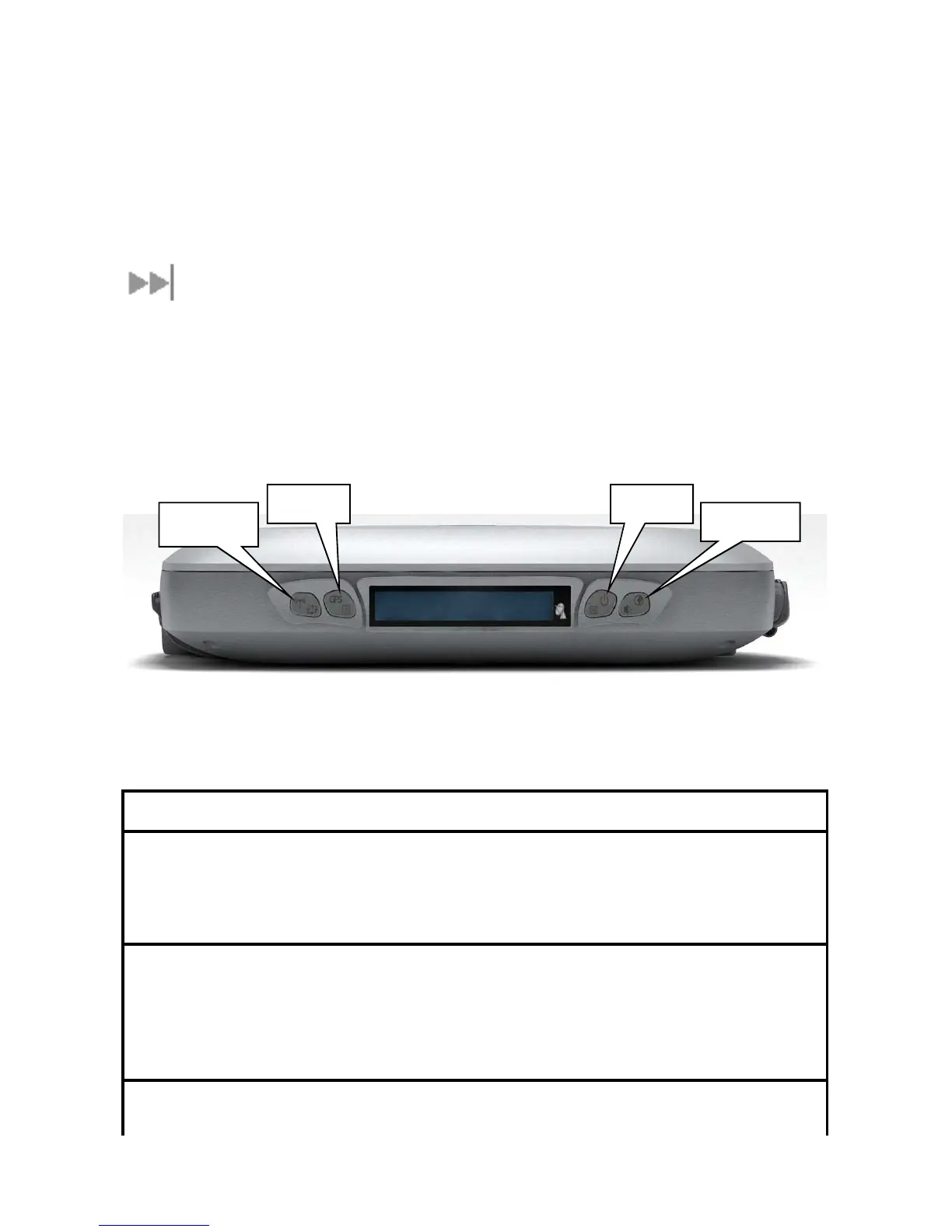
The ThurayaIP has an Integrated Man Machine Interface (iMMI) which
allows you to control the operational features of the terminal without the
need of a PC or a browser. The iMMI includes buttons labelled with
defining icons, an LCD, and an audible pointing aid integrated into the
ThurayaIP itself.
The figure below shows the layout of the ThurayaIP iMMI.
iMMI Button Locations
C
ONTROL
B
UTTONS
The following table gives you a summary of the four ThurayaIP buttons.
Button
ButtonButton
Button
Action
ActionAction
Action
Result
ResultResult
Result
Power button
Short press Backlight on, cancel any menu
operation, return to status menu
Long Press Turn unit on or off
Connect button Short press Toggle audio pointing state
(sound on/off)
Long press
•
Toggle connection state
(connect/disconnect)
•
Exit pointing mode
Menu button Short press Scroll to next menu item
Modify



 To Next Page