ThurayaIP Satellite Modem User Guide
19
S
ETTINGS
S
CREENS
From the Main menu you can select Settings to navigate among all the
various Settings functions from the menu on the left side of the screen:
• Network Settings
• Security Management Settings
• Login Settings
• Advanced Settings
N
ETWORK
S
ETTINGS
S
CREEN
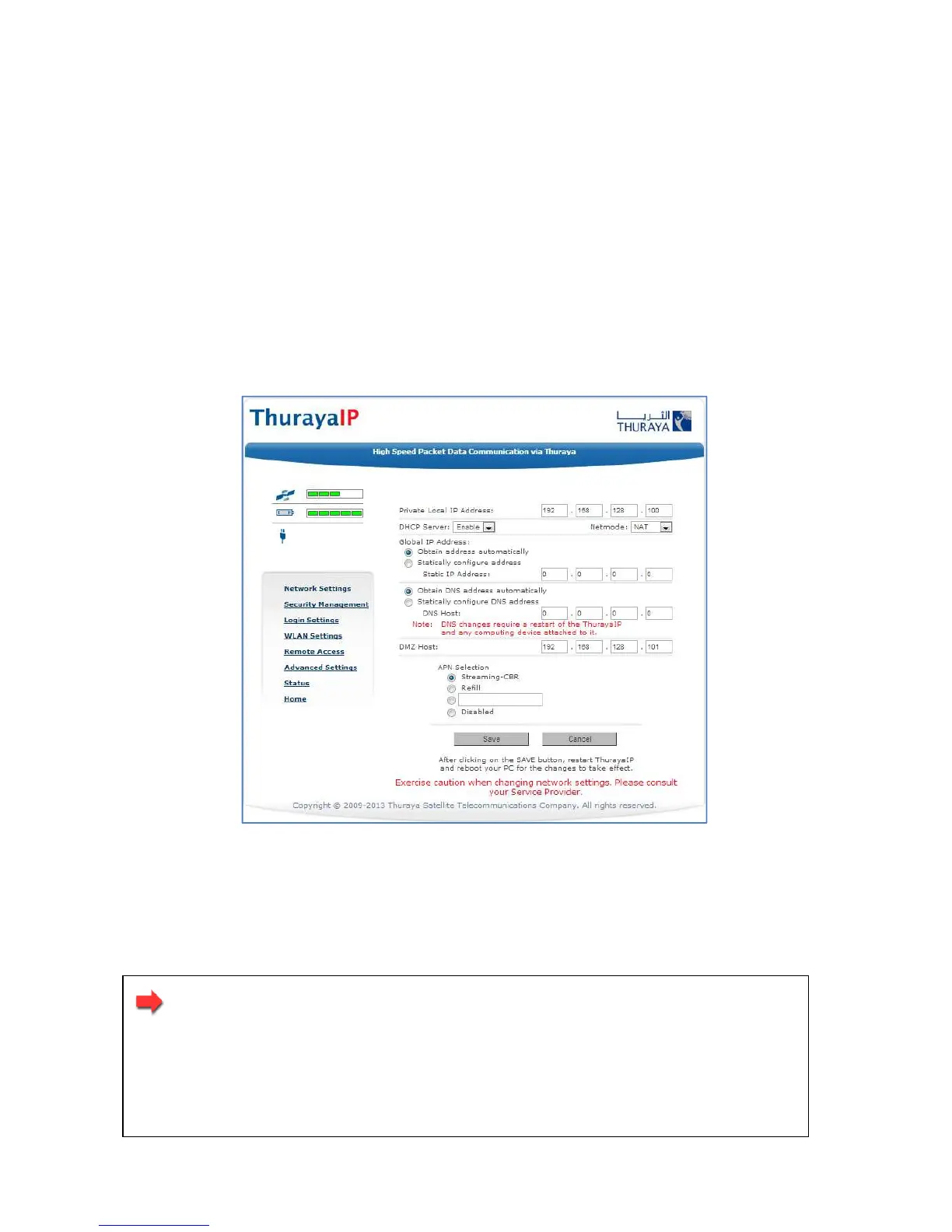
After executing the necessary First Time Set-up steps to configure
ThurayaIP, you may want to select the Network Settings screen to check
your network configuration.
Network Settings Screen
This screen provides you with control over key network access
parameters. Here you find the appropriate Domain Name Service (DNS)
and the Access Point Name (APN) information configured by your
Service Provider. You are also given the ability to make changes.
Note: Generally your Service Provider has already performed
this configuration step for you. Whenever you modify the
addresses on the Network Settings screen, you must press
SAVE and exit the wMMI, reboot your computer, and power
the ThurayaIP off and then back on so that the new settings
can take effect.



 To Next Page